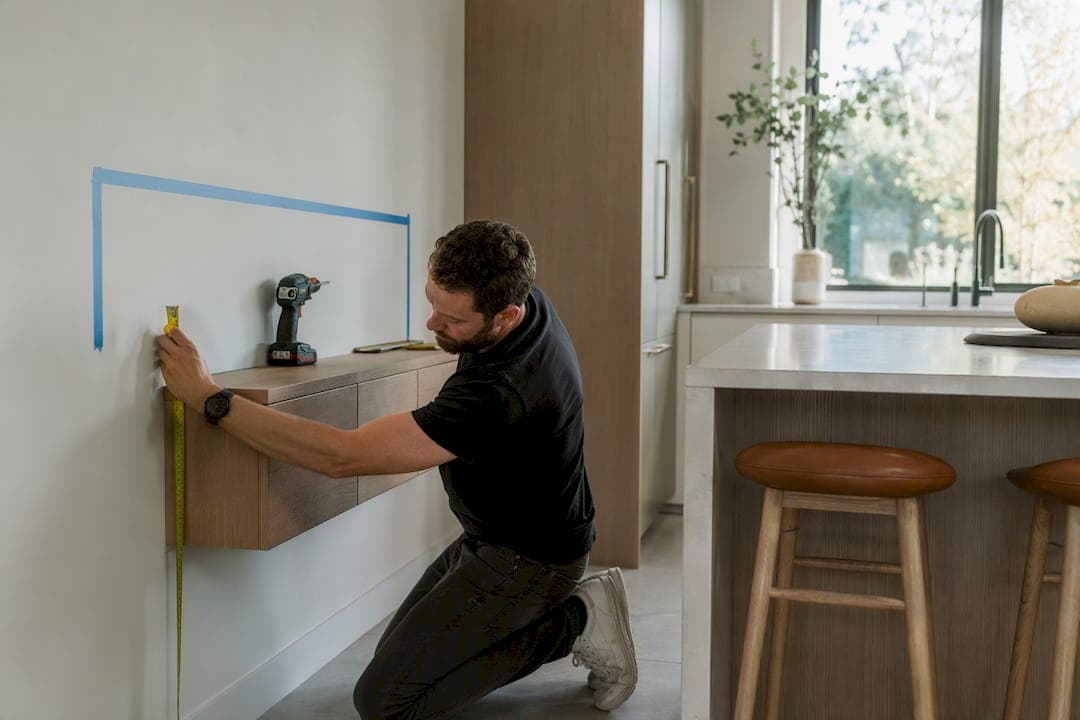
For most living rooms, set the center of the TV at about eye level from seated viewers, then mount the floating cabinet so its top sits at a comfortable height below the TV, leaving a moderate gap between the two. That gap keeps the screen at seated eye level without crowding the cabinet against the bottom bezel.
Bedrooms and rooms with recliners run lower, since you're often reclined rather than upright: aim for a 36 to 40 inch center height there instead.
Before you drill anything, sit in your usual spot and measure your own eye height. Rooms vary, sofas vary, and the numbers above are a starting point, not a rule.
- Living room sofa: TV center height near seated eye level
- Bedroom or recliner: TV center height lower than seated eye level
- Cabinet top: comfortably below TV center
- Gap between TV bottom and cabinet top: enough space to avoid crowding
Key Takeaways
The right floating cabinet height comes from your own seated eye level, not a fixed number, and most living rooms land between 40 and 42 inches at the TV center with 8 to 12 inches of clearance above the cabinet.
| Point | Details |
|---|---|
| Living room baseline | Set TV center height at 40 to 42 inches for standard sofa seating. |
| Bedroom adjustment | Lower the center height to 36 to 40 inches for reclined or bedroom viewing. |
| Use the formula | Cabinet top height equals seated eye height minus half the screen height minus your gap. |
| Mind the width | Keep the cabinet 2 to 3 inches wider than the TV on each side for visual balance. |
| Anchor into studs | Use at least two studs or a ledger board for cabinets carrying 40 pounds or more. |
| Choose proportioned kits | Themediawallstore's pre-cut floating consoles build correct height and width ratios into the design. |
Table of Contents
- Recommended Floating Cabinet Height by Room and Seating Type
- How to Calculate Your Exact Cabinet Height
- Getting the Width and Proportions Right
- Mounting It Safely: Studs, Anchors, and Load Limits
- Why Themediawallstore Kits Take the Guesswork Out of It
- What Actually Matters Here (And What Doesn't)
- Get a Media Wall Kit Built Around the Right Height From the Start
- Sources
- FAQ
Recommended Floating Cabinet Height by Room and Seating Type
The 40 to 42 inch baseline for living rooms isn't arbitrary. It matches where the average adult's eyes land while sitting upright on a standard sofa with cushions around 17 to 19 inches deep. Center the screen there and you avoid the two most common complaints: neck strain from looking up, and a cabinet that visually swallows the wall because it's mounted too low.
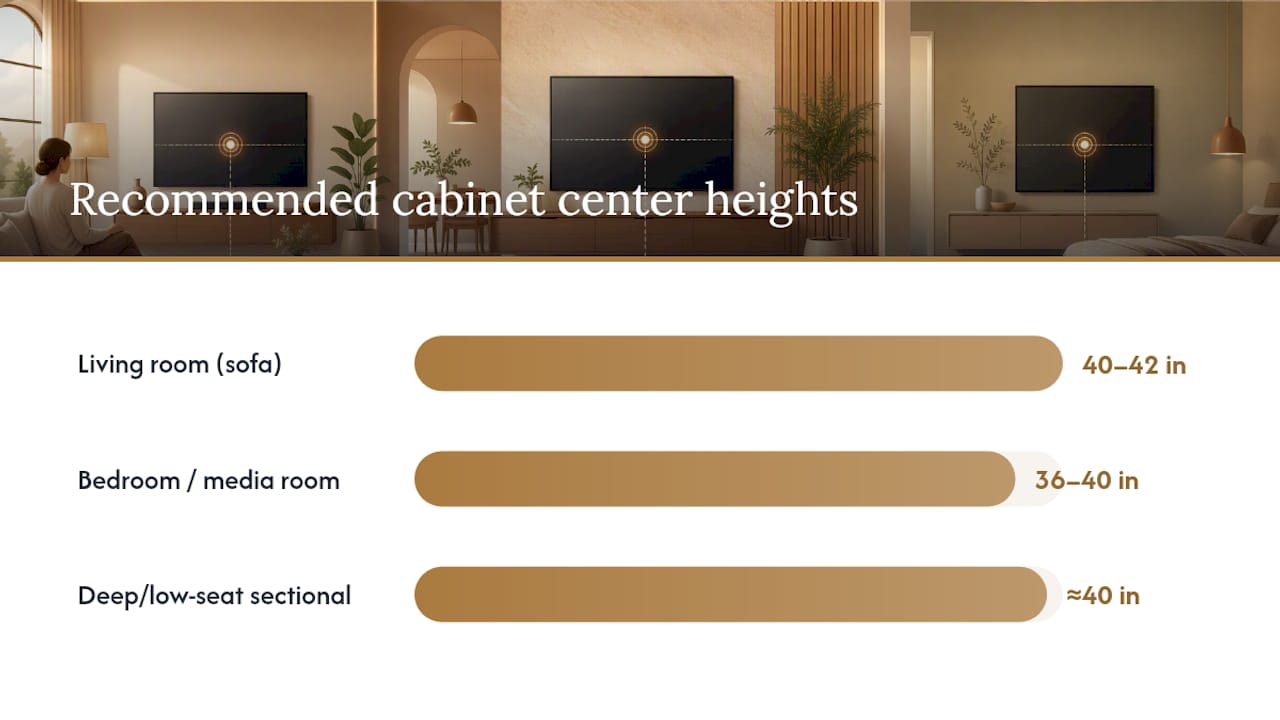
Bedrooms flip the math. You're usually propped up on pillows or lying back in a recliner, which puts your eyes several inches lower than they'd be on a couch. That's why 36 to 40 inches works better for beds and media rooms with reclining seating. If you have a deep sectional with a low seat height, or oversized lounge chairs, lean toward the bottom of the living room range, closer to 40 inches, rather than pushing to 42.
Three seating scenarios change the calculation:
- Deep sectionals with seat depths over 24 inches often put viewers further back and slightly lower. Drop your target center height by an inch or two.
- Tall or firm seating, like dining-style chairs used as a den setup, pushes eye level higher. Add an inch or two to compensate.
- Fireplace-over-TV installs are the exception to almost everything above. Mantel heights force the screen up, so designers typically recommend a tilting mount angled downward, or lowering the screen as far as the mantel and heat clearance allow.
Pro Tip: If you're torn between two heights, measure twice from your actual seating position, not from a doorway or a tape measure propped against the wall. Eye level changes more than people expect between a firm dining chair and a soft sectional.
How to Calculate Your Exact Cabinet Height
Skip the guesswork. There's a formula that gets you within an inch of the right number every time.
- Sit in your normal viewing spot, in your normal posture, and have someone measure from the floor to your eye level with a tape measure.
- Note your TV's screen height (not the diagonal size, the vertical measurement in inches).
- Divide the screen height by two to find where the vertical center will land.
- Subtract that half-height, plus your desired gap, from your seated eye height. That gives you the cabinet top height.
The formula: Cabinet top height = seated eye height minus (screen height ÷ 2) minus desired gap.
Say your seated eye height is 42 inches and you're mounting a 65-inch TV with a screen height of about 32 inches. Half of that is 16 inches. Subtract 16 from 42 and you get 26, then subtract a 10-inch gap and your cabinet top lands at 16 inches. That's lower than the typical range, which tells you either to reduce the gap slightly or accept a taller-than-average console.
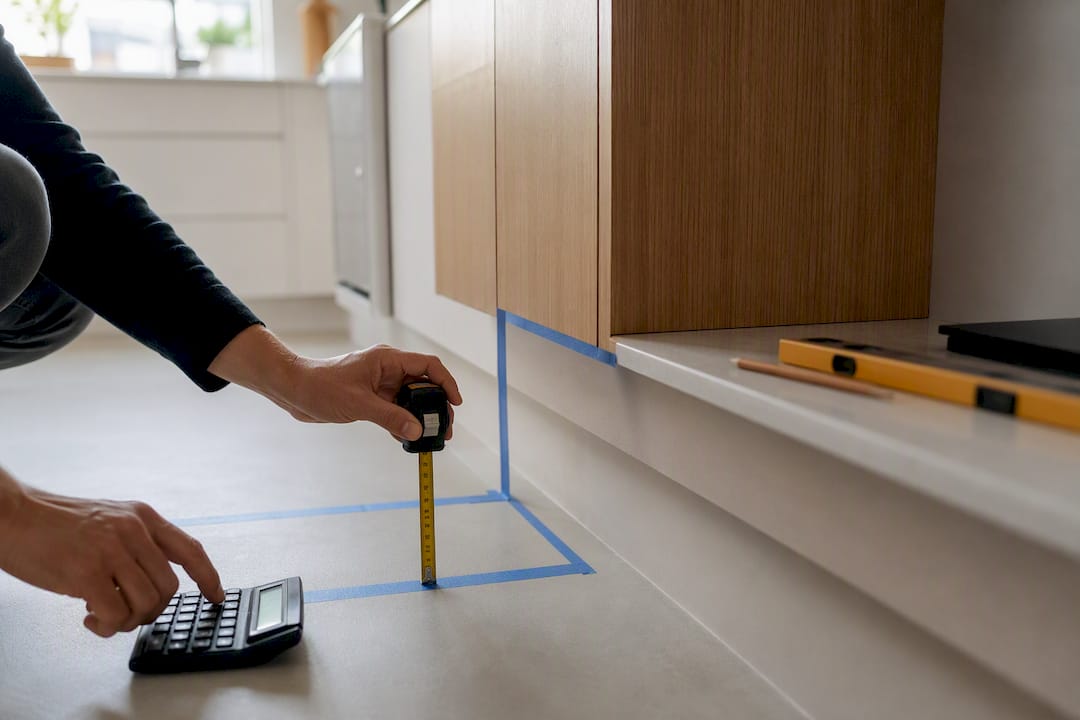
Notice the pattern: bigger screens and lower eye heights both push the cabinet height down. That's the inverse relationship that trips up a lot of DIYers who assume a bigger TV needs a taller stand. Before you mark the wall, run your own numbers through the formula once, double check the gap looks right in painter's tape, then commit to the drill.
Getting the Width and Proportions Right
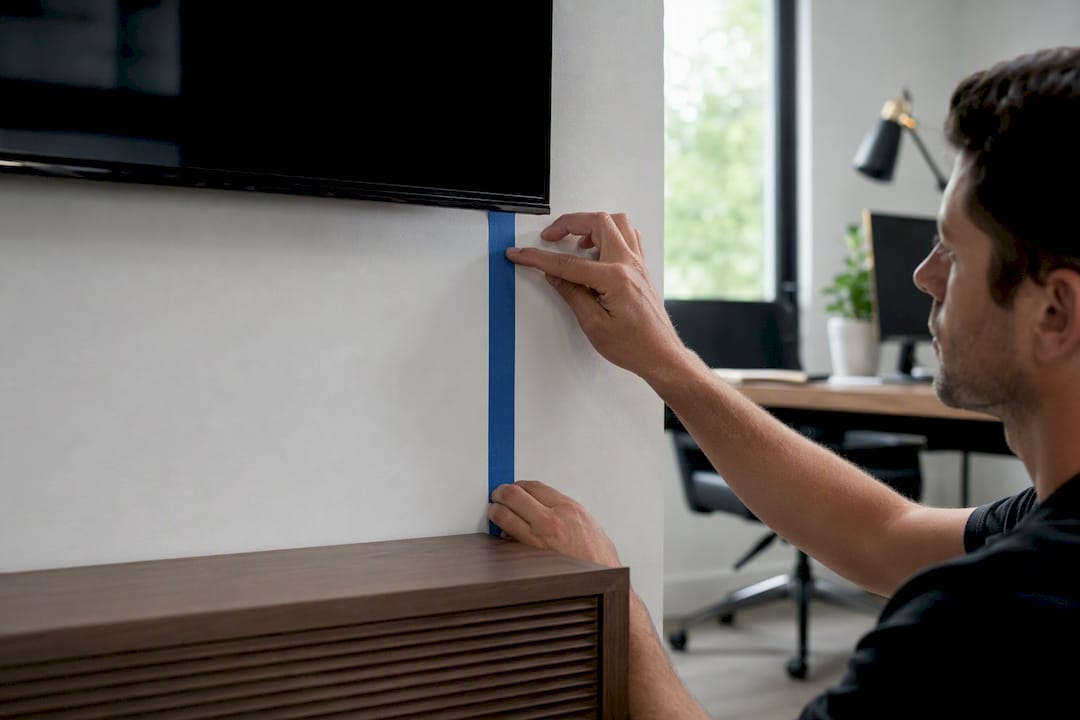
Height gets most of the attention, but a floating cabinet that's the wrong width looks off even when the mounting height is perfect. The rule most designers use: the cabinet should be 2 to 3 inches wider than the TV on each side, or the TV should occupy roughly two-thirds of the console's width so it reads as part of a composed setup rather than an afterthought bolted to the wall.
A cabinet that matches the TV width exactly tends to look thin and mismatched once the screen goes dark. Wider consoles give the eye somewhere to rest and make room for speakers, décor, or a games console without crowding the sides.
- Depth: aim for at least 14 to 16 inches to fit a soundbar, streaming box, and game console without stacking gear.
- Ventilation: leave an inch or two of open space around electronics, or choose a cabinet with cutouts or an open back for airflow.
- Cable routing: pick a design with a rear pass-through so cords don't dangle below the unit.
- Clearance: leave enough gap above the cabinet and below the TV to reach in for cleaning or swapping devices.
For very large screens, 75 inches and up, a taller cabinet pushes the whole composition too high on the wall. A lower cabinet balances a big screen better, which is one more reason the height and width decisions need to happen together, not separately.
Mounting It Safely: Studs, Anchors, and Load Limits
A floating cabinet only looks weightless. Loaded with a soundbar, a game console, and a stack of components, it can easily carry 40 to 80 pounds, and that load has to go somewhere besides drywall.
- Find studs with a stud finder and mark at least two, since a single anchor point isn't enough for heavy floating consoles.
- If studs don't line up with your bracket's mounting points, add a plywood ledger board across the studs to spread the load.
- Match anchors to your wall type: toggle bolts for drywall, masonry anchors for brick or concrete, and never rely on plastic anchors alone for anything heavier than a small shelf.
- Add up the total load, cabinet weight plus every device you'll place on it plus a margin for someone leaning on it, and check that figure against the bracket's rated capacity.
- Route power and HDMI cables through the cabinet's built-in pass-throughs rather than cutting into the wall unless you're comfortable with an in-wall cable kit.
- Watch for warm electronics stacked too close together. If a receiver runs hot, add spacing or a vented shelf.
Two studs and a rated bracket beat one lag bolt and hope every time. Most floating cabinet failures come down to a single anchor point carrying weight it was never designed to hold.
If your installation involves adding new outlets, running power through a fireplace surround, or any structural cutting, that's the point to call in an electrician or a contractor rather than pushing through it yourself.
Why Themediawallstore Kits Take the Guesswork Out of It
Getting the math right on paper is one thing. Drilling into the correct stud, at the correct height, with a cabinet that's actually wide enough for your TV, is where most DIY installs go sideways. Themediawallstore builds its floating TV consoles pre-cut and pre-labeled specifically so the height and width decisions above are already baked into the design, not something you're improvising with a circular saw.
The company's guide to floating TV cabinet sizing walks through the same mounting-height logic covered here, tailored to the specific proportions of its own kits. That matters because a kit designed around correct proportions removes one of the biggest sources of error in a weekend install: eyeballing width and height separately instead of treating them as one decision.
- Pre-cut, pre-labeled panels mean the cabinet width and depth are already proportioned to common TV sizes.
- Over 1,000 customers have completed installs using these kits, with expert support available if a measurement question comes up mid-project.
- Risk-free returns mean a sizing mismatch doesn't turn into a wasted weekend.
- Products like the Avalon 80" Floating TV Cabinet with RGB LED Fireplace show how height, width, and fireplace clearance get solved together rather than as separate problems.
What Actually Matters Here (And What Doesn't)
Most of the advice on TV mounting height treats every living room like a showroom photo: perfect sofa depth, perfect ceiling height, one universal number. That's not how real rooms work. The seated eye height formula matters more than any single number in this article, because it's the only variable that accounts for your actual couch, your actual posture, and your actual TV.
Where conventional advice falls short is the fireplace exception. A lot of guides treat 40 to 42 inches as gospel and ignore that half of new installs are going over a mantel, where that number is often physically impossible without a tilting mount and a lowered screen. If your setup includes a fireplace, solve that constraint first, then work backward to the cabinet.
If you take one thing from this, prioritize the measurement step over the aesthetic one. A cabinet that looks slightly narrow but sits at the right height beats a gorgeous console mounted two inches too high that gives you a stiff neck every movie night. Get the number right first. The style decisions are far easier to fix later than a hole in the wrong stud.
— Jake
Get a Media Wall Kit Built Around the Right Height From the Start
Themediawallstore is the alternative to hiring a contractor or eyeballing a custom build. Its DIY kits arrive pre-cut and pre-labeled, so the height and width math covered above is already engineered into the panels before they reach your door, cutting a multi-week custom project down to a single weekend.

That matters most for readers who've just worked through the seated eye height formula and don't want to translate it into lumber cuts themselves. Whether you're after a straightforward floating console or something with a built-in fireplace feature, the kits are designed so the proportions work without a second trip to the hardware store. Browse the full lineup of DIY media wall kits to find one sized for your TV and room, or check accessories for cable management if you're finishing an install you've already started.
Sources
- Floating TV Stand Guide: Height, Installation & Cable Management 2026
- TV Cabinet Design Checklist for a Stylish Living Room
- TV Cabinet Dimensions: Will Your TV Fit? Guide for 42–85 Inch TVs
- Floating TV Stand Size Guide: Right Width & Mounting Height (2026) – SICOTAS
FAQ
How high should a floating shelf be above a TV?
Leave 8 to 12 inches between the top of the TV and the bottom of any shelf or cabinet mounted above it, enough space to avoid a cramped look while keeping the shelf within easy reach.
How high should a floating TV console be mounted from the floor?
Most floating consoles sit with their top edge 20 to 24 inches from the floor, adjusted lower for larger TVs so the screen center still lands near seated eye level.
Is 40 inches too high for a TV stand?
A 40-inch cabinet top is too high for most setups since it would push the screen center well above eye level. Reserve heights near 40 inches for the TV center itself, not the cabinet top.
What is the ideal height for a wall-hung TV unit?
For most living rooms, mount the unit so its top sits between 20 and 24 inches from the floor, then verify by checking that the TV's vertical center lands around 40 to 42 inches for seated viewing, or 36 to 40 inches for bedroom and recliner setups.