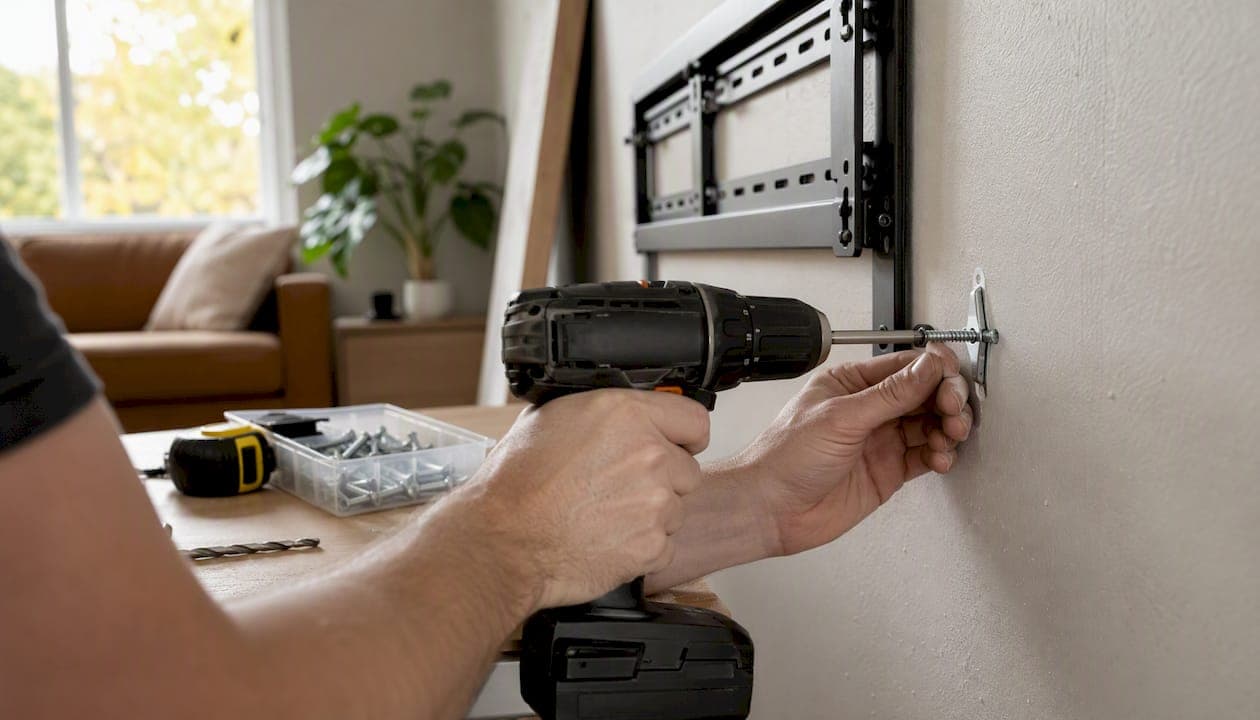
You can safely mount a TV on metal studs. The catch is that you cannot drive a standard wood screw into thin-gauge steel framing and call it done. Metal studs typically run 25-gauge or 20-gauge steel, which is strong enough to hold a TV when you use the right fasteners and spread the load across multiple anchors.
The two most reliable approaches are:
- 1/4" SnapToggle strap toggles routed through the drywall and stud web — the metal channel clamps behind the stud and distributes pull-out load across a wide bearing surface. Use at least four, one per bracket hole.
- Self-tapping sheet-metal screws driven directly into the stud web — faster to install, but they work best on 20-gauge or thicker studs and require washers to prevent the head from pulling through the bracket slot.
- Steel-stud TV mounting kit (such as the EchoGear EGHWSS) — a single-SKU solution that bundles matched toggles, the correct drill bit, and all hardware for tilt and low-profile mounts.
- Heavy-duty wing/toggle bolts (Toggler, Hillman strap toggles) — a solid fallback when you need a quick hardware-store run.
For anchor placement, route toggles through the stud web rather than relying on drywall alone. A drywall-only anchor on a heavy TV is a failure waiting to happen.
Pro Tip: Fixed and tilting mounts are the safest choice for metal-stud walls. Full-motion articulating mounts add leverage when extended and demand either maximum anchor count or wood blocking behind the drywall. If you know you want to swing the TV out regularly, plan for blocking from the start.
Key Takeaways
Metal studs can hold a TV safely when you use the right anchors, spread the load, and match the mount type to the framing.
| Point | Details |
|---|---|
| Yes, metal studs can hold a TV | Use SnapToggles or a steel-stud kit; never rely on drywall-only anchors for a TV. |
| Use multiple anchors | Fill every bracket hole; 1/4" SnapToggles show pull-out values around 265–300 lb each in 25-gauge studs. |
| Match mount type to framing | Fixed and tilting mounts are safest; full-motion mounts require maximum anchors or blocking. |
| Test before you hang | Do a firm pull test on the bracket before the TV goes up; pilot holes confirm stud center. |
| Themediawallstore kits | Pre-cut media wall kits provide integrated reinforcement and finished aesthetics without opening walls. |
Table of Contents
- What tools and materials do you need to mount a TV on metal studs?
- How do you mount a TV on metal studs, step by step?
- Which anchor works best for mounting a TV on metal studs?
- How does mount type change your anchor strategy for metal studs?
- How do you judge load capacity and how many anchors do you need?
- When should you add blocking instead of relying on toggles?
- What are the common problems and red flags to watch for?
- What actually works: an installer's honest perspective
- A stronger mounting surface without opening your walls
- Sources
- FAQ
What tools and materials do you need to mount a TV on metal studs?
Gather everything before you pick up the drill. A mid-job hardware run is how mistakes happen.
Tools:
- Drill and driver (cordless preferred)
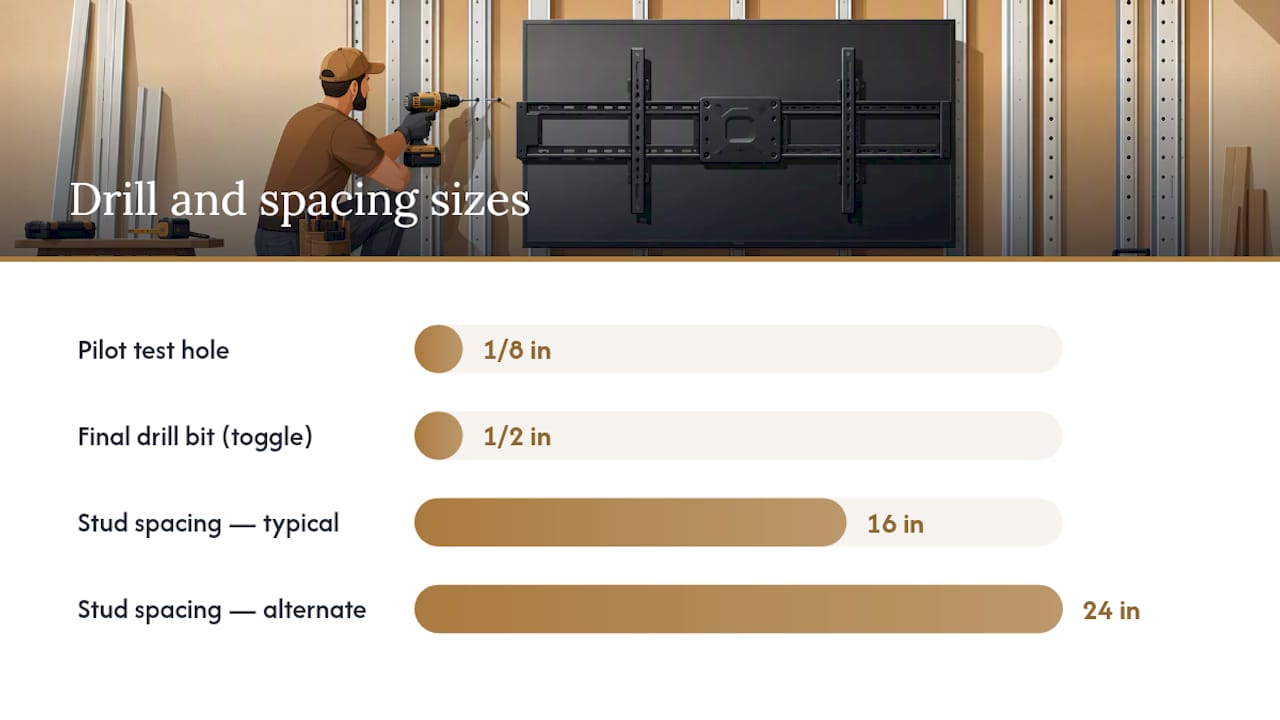
- Cobalt or titanium metal drill bits: 1/8" pilot bit, plus the size specified by your toggle (commonly 1/2" or 5/8")
- Magnetic stud finder (electronic finders often miss metal studs — a rare case where the $5 magnet wins)
- Level (24" or longer for accurate bracket alignment)
- Tape measure and pencil
- Socket wrench or adjustable wrench for toggle nuts
- Long washers (to bridge oversized bracket slots)
Fasteners and anchors:
- 1/4" SnapToggles or Toggler brand strap toggles (buy more than you think you need)
- Hillman strap toggles as an alternative — widely available at Home Depot and Lowe's
- EZ-Ancor or EZ Ancor heavy-duty toggle anchors for medium-weight TVs
- Self-tapping sheet-metal screws, #10 or #12, with appropriate length to penetrate the stud web
- Flat washers sized to your screw head
- Replacement machine bolts if your mount's included hardware is too short for the toggle
Optional single-kit solution:
The EchoGear steel-stud TV mounting kit (EGHWSS) includes UL-rated toggles, the correct drill bit, and all hardware in one package. It is rated for tilt and low-profile mounts up to 175 lb combined weight. If you want to skip the hardware-matching exercise, this is the easiest path.
Mount type to anchor pairing:
| Mount type | Recommended anchor |
|---|---|
| Fixed (flat) | SnapToggles or self-tapping screws |
| Tilting | SnapToggles or steel-stud kit |
| Full-motion articulating | SnapToggles at every hole, or blocking |
How do you mount a TV on metal studs, step by step?
Check your TV's weight and VESA pattern before anything else. The mount must be rated for your TV's weight, and the VESA hole pattern on the back of the TV must match the mount's arms.
- Confirm specs. Note your TV's weight, VESA pattern (e.g., 400×200 mm), and the mount's rated capacity. Add the mount's own weight to the TV weight for your total load figure.
- Visualize height. Hold the mount bracket against the wall at your intended height. Sit down on your couch and look up — most people mount TVs too high. Mark the top of the bracket lightly with a pencil.
- Locate the studs. Run a magnetic stud finder horizontally across the wall. Metal studs are typically spaced 16" or 24" on center. Mark both edges of each stud, then find the center.
- Confirm with a pilot hole. Drill a 1/8" test hole at your marked stud center. If you hit steel, you'll feel resistance and see metal shavings. If you miss, move 1/2" and try again. This step takes 30 seconds and saves a lot of patching.
- Position the bracket. Hold the mount bracket at your marked height, centered on the studs. Use a level to confirm it is plumb. Transfer the bracket's hole pattern to the wall with a pencil.
- Drill final holes. Switch to the bit size your toggle requires (check the toggle packaging — commonly 1/2"). Drill through drywall and stud web at each marked hole.
- Install anchors. For SnapToggles: collapse the toggle, insert through the hole, pull the strap taut, and slide the plastic cap down until the metal channel seats flat against the back of the stud web. Snap off the strap. For self-tapping screws: drive them directly into the stud web with a driver, stopping before you strip the steel.
- Attach the bracket. Thread the machine bolts through the bracket holes and into the toggle caps (or screw heads). Hand-tighten first, then snug with a wrench. Do not over-torque — thin-gauge steel deforms if you crank too hard.
- Pull test. Grab the bracket and pull down firmly before hanging the TV. It should not move or creak.
- Hang the TV. Have a helper for any TV over 40 lb. Engage the locking screws or safety pins on the mount.
Safety checklist before hanging:
- Eye protection on while drilling metal (shavings fly)
- Helper present for TVs over 40–50 lb
- All anchors seated and snug, not just hand-tight
- Bracket level confirmed after tightening (tightening can shift it slightly)
- No wires or pipes detected behind the wall
Pro Tip: Do the pilot-hole progression every time, even if you're confident about stud location. Drilling a 1/8" hole costs nothing to patch. Drilling a 1/2" hole in the wrong spot is a drywall repair job.
Which anchor works best for mounting a TV on metal studs?
The right fastener depends on your TV's weight, your stud gauge, and how much patience you have for the install. Here is how each option stacks up.
SnapToggles / strap toggles (Toggler, Hillman) The metal channel clamps behind the drywall and stud web, spreading pull-out load across a wide bearing area. Installer practice reports pull-out values around 265–300 lb per anchor in 25-gauge metal studs for 1/4" SnapToggles. Using four anchors at that rating provides a capacity well above what most consumer TVs require. These are the default choice for most TV installs on metal studs.
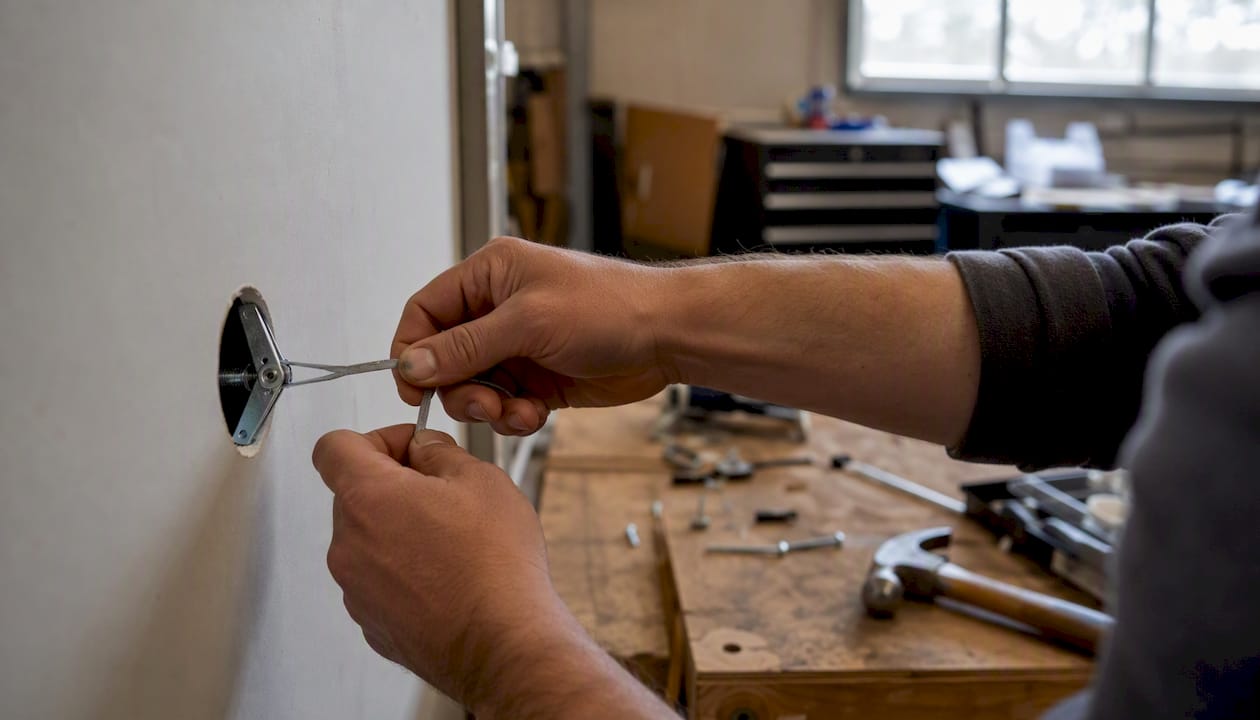
Zip-toggles / drill toggles / winged toggles Faster to install than SnapToggles because the wings deploy automatically as you push them through the hole. Rated capacity is somewhat lower, but adequate for medium-weight TVs (under 80 lb). Good when speed matters more than maximum load margin.
Self-tapping sheet-metal screws These drive directly into the stud web without a toggle, which means no large drywall hole and a cleaner install. DIY community experience confirms that multiple self-tapping screws with washers can provide adequate shear strength for many consumer TVs. The limitation: thin 25-gauge studs can deform if you over-torque, and a stripped screw in thin steel has almost no holding power. Use these on 20-gauge or thicker studs, and always add washers.
Traditional wing toggle bolts (Toggler, Hillman) These work, but they require a larger hole than SnapToggles and the wings can be tricky to align with the stud web. Once set, they cannot be removed without losing the toggle inside the wall. Fine for lighter TVs; SnapToggles are a better investment for anything over 50 lb.
EchoGear steel-stud mounting kit (EGHWSS) Rated up to 175 lb for tilt and low-profile mounts. The kit includes matched toggles, the correct drill bit, and all hardware — no guessing on hole size or bolt length. The product page explicitly advises against using this kit with full-motion mounts, which is honest and worth heeding.
How does mount type change your anchor strategy for metal studs?
Fixed and tilting mounts are the natural fit for metal-stud walls. The load stays vertical, the bracket sits flush, and four SnapToggles handle the job cleanly. Professional guidance recommends snap toggles for metal studs and inserting them vertically so the channel seats against the stud web — this orientation maximizes the bearing area and pull-out resistance.
Full-motion articulating mounts are a different story. When the arm is extended, the mount creates a moment load — a rotational force that tries to pry the top anchors out of the wall while pushing the bottom anchors in. That leverage multiplies the effective load on each fastener significantly. On thin 25-gauge studs with toggles only, that cyclic stress adds up over time.
- Fixed mount: four SnapToggles across two studs, done.
- Tilting mount: same approach; a steel-stud kit like the EchoGear EGHWSS covers this cleanly.
- Full-motion mount: use every available hole in the bracket, choose the heaviest-rated toggles that fit the hole pattern, and seriously consider adding blocking. If the mount manufacturer's instructions specify wood blocking, follow them.
Pro Tip: If you know you'll be adjusting a full-motion mount frequently, add blocking now rather than after the TV is already on the wall. The cyclic stress from repeated extension and retraction is what eventually loosens anchors, not the static weight.
How do you judge load capacity and how many anchors do you need?
Two forces act on your anchors: shear (the downward pull of gravity on the TV) and pull-out (the force trying to yank the anchor straight out of the wall, most relevant when a mount arm is extended). Toggles handle pull-out well because the channel bears against the back of the stud web. Self-tapping screws handle shear well but are weaker in pull-out.
Load rule of thumb: 1/4" SnapToggles in 25-gauge metal studs show pull-out values around 265–300 lb in installer practice. For a safe consumer install, target a 3–4× working margin over your total load (TV weight plus mount weight).
Practical math: a 65" TV at 80 lb plus a 15 lb mount equals 95 lb total. At a 4× safety margin, you want 380 lb of rated capacity. Two 1/4" SnapToggles at 265 lb each gives you 530 lb — well above that threshold. Four anchors is better, and using every available hole in the bracket is the standard installer recommendation.
- Use every hole in the mount bracket where practical — spreading load across more anchors reduces stress on each one.
- Size pilot holes to the toggle manufacturer's spec. An oversized hole lets the toggle channel shift; an undersized hole prevents it from seating.
- Use washers under bolt heads when bracket slots are wider than the bolt head — without them, the head can pull through the slot under load.
- Check TV weight and VESA specs before buying a mount; the mount's rated capacity must exceed the TV's weight, not just match it.
When should you add blocking instead of relying on toggles?
Toggles are reliable for most TV installs, but there are situations where opening the wall and adding solid backing is the smarter call.
Use blocking when:
- Your TV weighs more than 100 lb
- You plan to use a full-motion articulating mount
- You want future-proof mounting for a soundbar, shelving, or accessories alongside the TV
- Repeated toggle pull-throughs suggest the stud gauge is too thin to hold reliably
Your options, from least to most invasive:
- Surface-mounted plywood panel. Cut a 3/4" plywood panel to span two or more studs, fasten it to the studs with self-tapping screws, and mount the TV bracket to the plywood with lag bolts. No drywall repair needed. It adds a few millimeters of depth, but a finished panel or slat wall can make it look intentional.
- In-wall horizontal blocking. Open the drywall between studs, cut 2x4 or 2x6 wood blocking to fit between the metal stud flanges, and fasten with self-tapping screws or metal stud clips. Re-drywall, tape, and finish. The TV bracket then mounts to the blocking with standard lag bolts. More work, but invisible when done.
- Pre-cut media wall kit. A finished media wall panel from Themediawallstore spans multiple studs, provides integrated reinforcement, and handles cable management and aesthetics in one build. For readers planning a heavy TV or a full home theater setup, this approach distributes the load across multiple structural elements rather than concentrating it on a few toggles.
The tradeoff is time and drywall repair for options 1 and 2. A pre-cut kit sidesteps the patching entirely. If you are already planning a media wall, building the reinforcement into the kit makes more sense than patching drywall twice.
What are the common problems and red flags to watch for?
Most metal-stud mounting failures come down to a few repeatable mistakes.
Common problems and fixes:
- Toggle installed half-rotated: the channel did not seat flat against the stud web. Remove the bolt, pull the toggle out, and re-insert with the channel oriented correctly (perpendicular to the stud flange).
- Oversized pilot hole: the toggle shifts and won't tighten. Fill the hole with a drywall anchor patch, let it cure, and re-drill at the correct size.
- Missed stud center: anchor seated in drywall only, not through the stud web. Remove, locate the stud center with a fresh 1/8" pilot hole, and re-drill.
- Stud deformation from over-torquing: the thin steel has crushed around the fastener. Add additional toggles to unused bracket holes to redistribute load; if the bracket has no unused holes, consider a surface-mounted plywood panel.
- Bracket shifts after tightening: re-check level and re-torque; if it continues to shift, the anchors are not fully seated.
Stop and call a pro if:
- You hit unexpected pipe or wiring behind the drywall
- You cannot locate studs reliably after multiple test holes
- Anchors pull through repeatedly regardless of technique
- The mount manufacturer requires wood blocking and you are not comfortable with drywall work
- You are installing a very heavy full-motion mount (over 100 lb) on thin 25-gauge framing
What actually works: an installer's honest perspective
The conventional wisdom on metal-stud mounting tends to split into two camps: "it's impossible, use wood blocking" and "just use toggle bolts, it's fine." Both are too simple.
The real answer is that metal studs hold TVs reliably when you respect the mechanics. Thin-gauge steel is not weak — it is just weak in a different way than wood. It handles shear load well but deforms under concentrated point loads. That is why spreading load across four anchors instead of two matters more here than it does with wood studs. It is also why over-torquing is a genuine failure mode, not just a theoretical concern.
The installer habits that actually prevent callbacks: use every toggle hole in the bracket, orient SnapToggles so the channel is perpendicular to the stud flange, and do a firm pull test before the TV goes up. Skipping the pull test is the single most common homeowner mistake. A bracket that feels solid by hand but creaks under a 10-lb downward pull is telling you something.
For full-motion mounts, the honest answer is that toggles alone are a compromise. They work for lighter TVs on 20-gauge studs, but if you are mounting a 75" TV and plan to swing it out daily, blocking is not optional — it is the right tool for the job. A pre-cut media wall kit that integrates reinforcement is a cleaner solution than patching drywall after the fact.
A stronger mounting surface without opening your walls
Toggles and self-tapping screws solve the fastener problem. They do not solve the aesthetics problem, the cable management problem, or the "I want to add a shelf and a soundbar later" problem.

Themediawallstore's pre-cut, pre-labeled DIY media wall kits give you a finished panel system that spans multiple studs, distributes TV load across a reinforced surface, and handles hidden cable management in the same build. No drywall patching, no exposed conduit, no second trip to the hardware store for longer bolts. The kits are designed for weekend installation without a contractor, and they cost significantly less than a custom-built media wall. For heavy TVs, full-motion mounts, or anyone who wants the mounting problem and the room design problem solved at the same time, browse the media wall kit collection to find the right fit for your space.
Sources
- Mount a TV on Metal Studs: Toggle Bolts That Hold | Express Mounting
Always check the toggle or anchor packaging for the manufacturer's specified drill size and rated capacity before you start. Those numbers override any general guidance, including this article.
FAQ
Can you hang a TV on metal studs?
Yes. Metal studs can hold a TV when you use the correct fasteners — SnapToggle strap toggles or self-tapping sheet-metal screws — and distribute the load across at least four anchors. Drywall-only anchors are not sufficient for a TV.
Are metal studs strong enough to hold a TV?
Metal studs handle the shear load of a wall-mounted TV well. The key is using anchors that engage the stud web rather than just the drywall; 1/4" SnapToggles in 25-gauge metal studs show pull-out values around 265–300 lb per anchor in installer practice.
What is the best TV mount for metal studs?
A fixed or tilting mount paired with SnapToggle strap toggles is the most reliable combination. For a single-kit solution, the EchoGear EGHWSS steel-stud mounting kit includes matched hardware and is rated for tilt and low-profile mounts up to 175 lb.
How much weight can you hang on metal studs?
With four 1/4" SnapToggles engaging the stud web, the theoretical pull-out capacity exceeds most consumer TV weights by a wide margin. For very heavy TVs (over 100 lb) or full-motion mounts, add wood blocking or a reinforced surface panel to distribute the load safely.