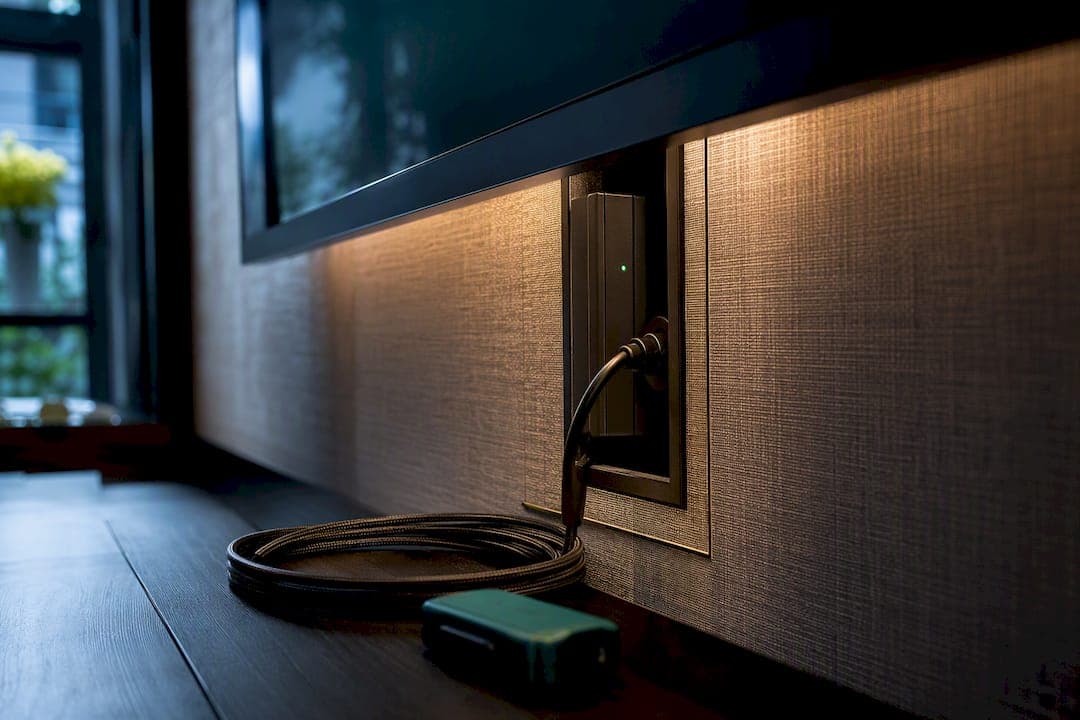
Yes. A wall-mounted TV needs a point-of-use surge protector built for behind-the-screen mounting or a low-profile flat-plug design, not just whatever strip you have in a drawer. Pair it with whole-house protection at your electrical panel if your budget allows, since that combination catches both the big utility-grid spikes and the smaller everyday ones. From there, the choice comes down to form factor: mountable AV units, recessed relocators, or slim wall strips, each suited to a different install.
TL;DR:
- A surge protector rated at at least 1,000 joules provides basic protection behind a wall-mounted TV, with higher ratings recommended for premium setups.
- Installing a relocator or flush-mount strip often requires wall modifications, such as cutting into the drywall or installing in-wall backboxes, depending on the form factor.
- A whole-house surge protection device at the electrical panel complements point-of-use protectors by absorbing large utility spikes before they reach individual circuits.
- Always check that surge protectors have a UL 1449 listing, a protection indicator light, and a warranty that covers connected equipment damage for reliable defense.
- Proper installation requires leaving clearance around vents, securing cords properly, and consulting an electrician for recessed or in-wall wiring to avoid damage and ensure safety.
Table of Contents
- Tv Wall Surge Protection: Comparing the Main Approaches
- Which Surge Protectors Actually Work Behind a Mounted TV?
- What Specs Actually Matter When Buying One?
- How Do You Install It Without Wrecking the Wall?
- Do You Really Need Whole-House Protection Too?
- How Media Wall Kits Simplify a Protected TV Install
- A Tidier Way to Build the Whole Wall Around It
- Sources
- FAQ
Tv Wall Surge Protection: Comparing the Main Approaches
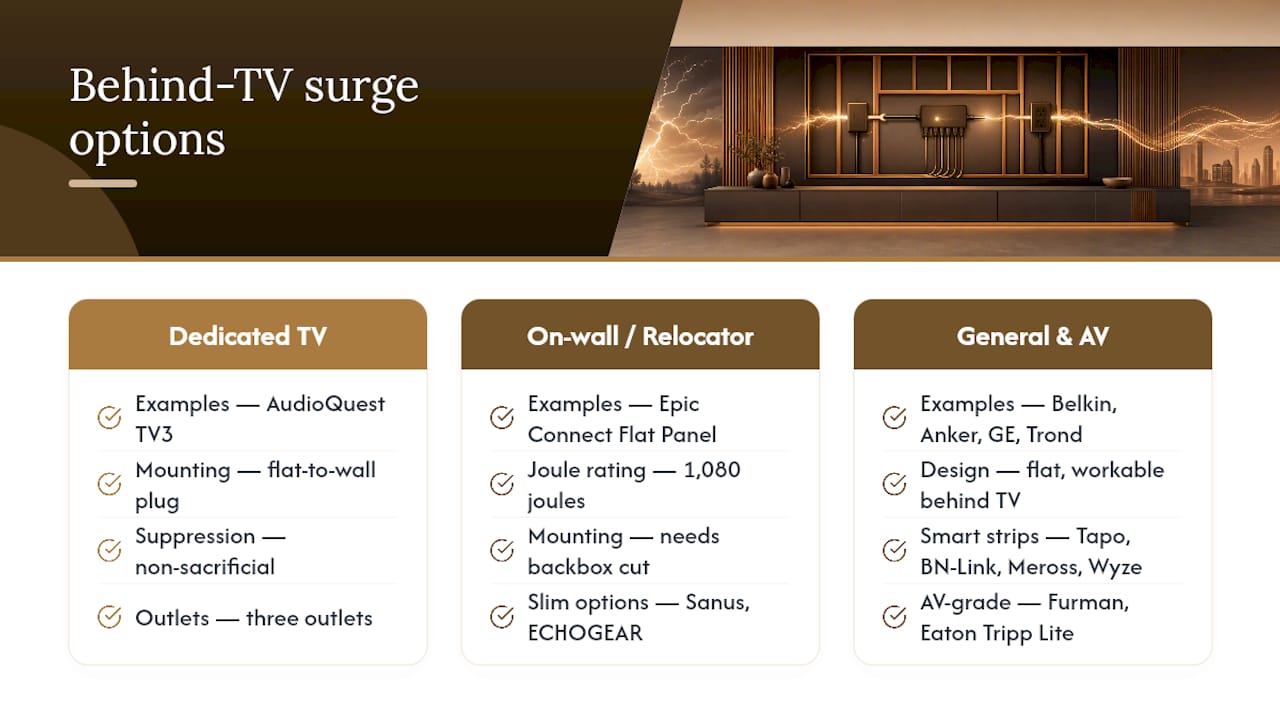
Every wall-mounted TV setup needs one of four approaches, and the right pick depends on how much you want hidden, and how much you're willing to spend. A mountable AV-specific unit like the AudioQuest PowerQuest TV3 screws directly to the wall behind the panel and includes a flat-to-wall plug so it doesn't push the TV forward. A recessed outlet relocator, like the Epic Connect Flat Panel 2-Outlet TV Surge Protected Power Outlet Relocator, goes a step further: it moves a protected outlet into a backbox behind the TV, so nothing is visible at all. On-wall strips from ECHOGEAR and the Sanus On-wall surge protector split the difference, mounting flat against drywall without a full in-wall installation. And for premium AV racks, a unit like the Furman Power Station 8 adds real line conditioning on top of surge suppression.
| Form Factor | Example | Joules | Clamping Voltage | Outlets | Mounting |
|---|---|---|---|---|---|
| Mountable AV unit | AudioQuest PowerQuest TV3 | Not publicly listed | Not publicly listed | 3 | Wall screws, flat-to-wall plug |
| Recessed relocator | Epic Connect Flat Panel Relocator | 1,080 | Not publicly listed | 2 | In-wall backbox |
| On-wall strip | ECHOGEAR On-Wall Surge Protector | Varies by model | Varies by model | 6 to 8 | Adhesive/screw wall mount |
| Low-profile flat plug | SANUS On-Wall Low Profile Surge Protector | Varies by model | Varies by model | 4 to 6 | Flat-to-wall plug |
| Premium AV conditioner | Furman Power Station 8 | Not publicly listed | Not publicly listed | 8 | Rack or shelf mount |
Here's how those form factors map to real installs:
- Tight cavity behind a thin TV: a flat-to-wall plug strip like the SANUS On-Wall Low Profile Surge Protector.
- Fully hidden, flush-mount look: the Epic Connect relocator, installed in a backbox.
- AV rack with a receiver, streaming box, and soundbar: a higher-outlet unit like the Furman Power Station 8 or an Eaton Tripp Lite Protect It.
- Budget install with no wall cutting: any well-reviewed strip, mounted flat with adhesive clips.
Which Surge Protectors Actually Work Behind a Mounted TV?
Not every "surge protector" on a store shelf is built for a wall cavity. Some are just strips with a surge chip bolted on, and mounting them behind a TV means fighting bulk, heat, and awkward cord runs. The products below cover the range homeowners actually shop for.
The AudioQuest PowerQuest TV3 is a three-outlet unit designed specifically for behind-TV mounting, with a flat-to-wall plug and hardware for a secure screw mount. AudioQuest markets it with non-sacrificial suppression and AV-focused line conditioning, which matters if you're running a high-end receiver alongside the TV. Its main limitation is price. This is not the unit to buy if you just want basic spike protection for a bedroom TV.
The Epic Connect Flat Panel 2-Outlet TV Surge Protected Power Outlet Relocator solves a different problem: it hides the outlet entirely. Retail listings show a 1,080 joule rating, which lands comfortably above the minimum most electronics need. Installation requires cutting into the wall for a backbox, so this is a project for someone comfortable with basic electrical work or willing to call an electrician.
Statistic Callout: A relocator rated at 1,080 joules sits well above the general 1,000-joule minimum recommended for TVs, giving it real headroom for a mid-range or higher-end screen.
The Sanus On-wall surge protector and ECHOGEAR On-Wall Surge Protectors both mount flat against drywall, usually with a keyhole slot or adhesive strips, and stay slim enough to disappear behind most flat-panel TVs. SANUS On-Wall Low Profile Surge Protector targets the same use case with a flatter housing built for close-to-wall clearance.
For general home use, several bestselling strips show up again and again in shopping comparisons: Belkin Surge Protector Power Strip, Anker Power Strip Surge Protector, GE Pro 3-Outlet Extender 33646, and Trond Surge Protector. None are marketed as TV-specific, but their flat designs and respectable joule ratings make them workable behind a mounted screen if space allows.
Smart-plug strips add convenience on top of protection. The Tapo P316M Smart Wi-Fi Power Strip, BN-Link Smart Plug Power Strip, Meross Smart Plug Power Strip, and Wyze Surge Protector let you schedule or remotely kill power to a media setup, useful during storms or travel.
For serious AV setups, the Furman Power Station 8 and Eaton Tripp Lite Protect It 12-Outlet Surge Protector TLP1208SAT offer more outlets and, in Furman's case, active voltage regulation. The Schneider Electric Square D HEPD50 is a different animal entirely: a whole-house device installed at the panel, not a point-of-use strip, and it belongs in the two-tier strategy rather than behind the TV itself.
What Specs Actually Matter When Buying One?
Three numbers decide whether a surge protector will actually do its job, and most shoppers never check any of them.
- Joules rating. This measures total energy absorption capacity. Aim for at least 1,000 joules for a standard TV, and 2,000 or higher if you're protecting a premium set alongside a receiver or soundbar. Higher joules mean the device can absorb more cumulative surge energy before it needs replacing.
- Clamping voltage. This is the voltage level at which the protector kicks in and diverts excess power. Lower is better. Look for 400 volts or less where the spec is published; a protector that doesn't clamp until much higher voltage lets more of the surge through to your TV.
- UL 1449 listing. This is the relevant safety standard for surge protective devices, and a protector without it hasn't been independently tested against it. Combined with a visible protection indicator light, it's the simplest way to know a device is doing real work.
- Sacrificial vs. non-sacrificial design. Most consumer strips use MOVs that degrade with each surge and eventually stop protecting, even though the strip still powers your devices. Non-sacrificial designs, like the one AudioQuest builds into the PowerQuest TV3, avoid that silent failure mode.
- Indicator light behavior. If the protection light goes dark, the surge-suppression component has likely failed, even if outlets still supply power.
- Warranty and connected-equipment policy. Many manufacturers offer a connected-equipment warranty that reimburses damage if their protector fails. Check the dollar limit and registration requirements before you buy.
Pro Tip: Keep the box or a photo of the model number after you buy. Connected-equipment warranty claims almost always require proof of purchase and the exact product ID, and you won't remember either a year later when a storm actually hits.
Before checkout, run through six items: form factor (does it fit the cavity behind your TV), mounting hardware (is it actually included), joules (1,000 minimum, 2,000 for premium gear), clamping voltage (400V or under when listed), a visible indicator light, and the warranty terms for connected equipment.
How Do You Install It Without Wrecking the Wall?
You have three real installation paths, and the right one depends on how much wall work you're willing to do. The simplest is a low-profile flat-to-wall strip that sits behind the TV without any cutting. The middle path is a mountable AV unit like the AudioQuest TV3, screwed directly to studs or drywall anchors behind the screen. The most involved is a recessed relocator, which requires opening the wall for a backbox, running the outlet's wiring inside the cavity, and patching drywall around it.
Whichever you choose, give the device breathing room. Surge protectors generate some heat, and TVs vent from the back and sides, so stacking a protector directly against a TV's vent panel or wedging it into a tight, sealed pocket behind cabinetry can trap heat that shortens the life of both devices.
- Secure loose cords with retention clips so nothing pulls loose when you tilt or adjust the mount.
- Screw the surge unit to a stud or use rated drywall anchors, don't just let it hang from its own cord weight.
- Leave at least an inch of clearance around any vents on both the TV and the protector.
- If you're routing cable through a wall cavity, check mounting clearance guidance before cutting anything.
Pro Tip: If your TV sits above a fireplace, check clearance requirements twice. Heat rising from the firebox can shorten the lifespan of anything mounted too close, surge protector included.
Call an electrician for any recessed outlet install, in-wall wiring changes, or a whole-house surge device at your panel. Those aren't weekend DIY jobs, and getting them wrong risks both your electronics and your home's wiring.
Do You Really Need Whole-House Protection Too?
A point-of-use protector on your TV is the first line of defense, but pairing it with whole-house protection at your electrical panel provides a more comprehensive surge defense strategy. The Department of Energy recommends pairing whole-house surge protection at the main panel with point-of-use devices at sensitive electronics, because the panel-level device absorbs the largest spikes before they reach any circuit in the house, while the point-of-use unit catches what slips through.
Neither layer is absolute. Extreme lightning strikes can overwhelm even quality consumer surge protectors, and unplugging electronics during a severe storm is still the only guaranteed protection. Budget-wise, protect your most expensive electronics with a point-of-use device first, then add panel-level protection when you're upgrading electrical service or mid-remodel anyway, when an electrician is already on site.
How Media Wall Kits Simplify a Protected TV Install
Hiding a surge protector cleanly is a lot easier when the wall itself is built for it. Themediawallstore's pre-cut, pre-labeled media wall kits come with hidden wire management channels designed to route cords and outlets without visible clutter.
- Pair a recessed protected outlet or a low-profile mountable protector with the kit's built-in cable channels for a flush finish.
- Slat accent panels and floating cabinetry give you cavities that hide bulkier AV units, like a Furman power conditioner, without blocking airflow.
A Tidier Way to Build the Whole Wall Around It
If wiring, outlet placement, and surge protection all feel like separate headaches, a media wall kit solves them together instead of one at a time. DIY kits arrive pre-cut and pre-labeled with hidden wire management built in, so a protected outlet or mountable surge unit tucks behind the panel instead of hanging exposed on the wall.

That matters most for anyone mixing a fireplace, floating cabinetry, and AV gear into one wall. Instead of separately buying a mount, chasing cable channels, and figuring out where a bulky surge strip fits, the kit's modular design already accounts for it. Browse the media wall kits by state to see options for your space, or check the accessories page for wire-management add-ons that pair with a recessed or mounted surge protector. If you're ready to plan the full wall, start at the shop.
FAQ
Should a TV be plugged into a surge protector or the wall?
Always use a surge protector rather than plugging directly into the wall. A standard outlet has no way to stop a voltage spike, while a surge protector diverts excess voltage before it reaches the TV.
What is the best surge protector for a wall-mounted TV?
It depends on your install: the AudioQuest PowerQuest TV3 suits behind-TV mounting with AV filtering, the Epic Connect relocator suits a fully flush recessed install, and a low-profile strip like the SANUS On-Wall unit suits a simpler, no-cut setup.
Do you really need a surge protector for your TV?
Yes. Manufacturer warranties typically exclude surge damage, and modern TVs contain sensitive circuitry that a single spike from grid switching or a nearby lightning strike can destroy.
Can you put a TV on a surge protector?
Yes, and it's standard practice. Just confirm the joule rating meets or exceeds 1,000 for a standard TV, or 2,000 for premium sets paired with other AV gear.
How often should I replace a TV surge protector?
Replace it every three to five years, or immediately after any major surge event, since the internal suppression components degrade with each spike they absorb even while the outlets keep working.