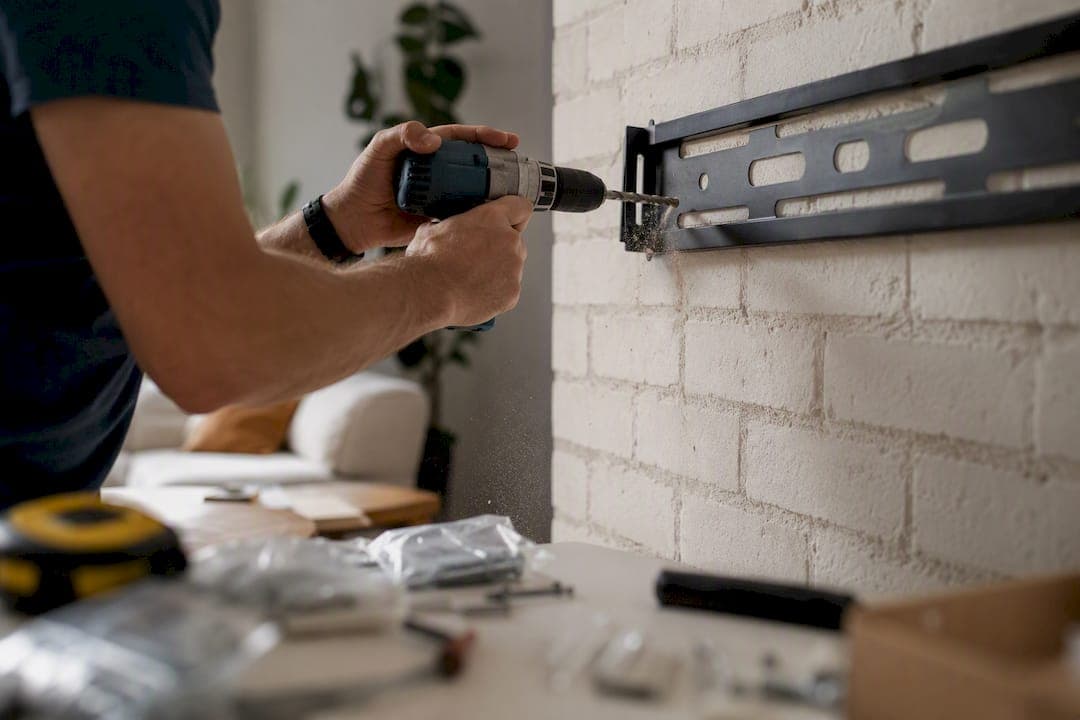
Yes, you can mount a TV on brick, and in most cases it holds better than drywall ever would. The catch is precision: drill into the solid brick face, never the mortar joints between bricks, and match your anchors to the TV's weight and your mount's design. Get those two things right, use at least four anchor points, and the wall will outlast the television.
TL;DR:
- Mounting a TV on brick requires drilling directly into the solid brick face, not the mortar, and using anchors rated for your TV's weight and mount type.
- Proper tools include a hammer drill with masonry bits, and the installation benefits from at least four anchor points evenly distributed across the mount.
- Full-motion mounts or larger TVs demand stronger anchors like wedge anchors or Rawlbolts, especially when swiveling or extending increases stress.
- For surfaces near fireplaces, measure temperature beforehand and consider adjustable mounts to avoid heat damage, and level the mounting plate carefully.
- Removing a brick mount involves unscrewing anchors slowly, filling drilled holes afterward, and avoiding force or prying to prevent damaging the brick.
Table of Contents
- How to mount a TV on brick: checking your wall first
- What tools do you need to mount a TV on brick?
- Which anchors work best for mounting a TV on brick?
- Step-by-step: mounting a TV on brick
- Mounting a TV above a fireplace: heat, clearance, and uneven surfaces
- How do you know the mount is actually secure?
- How do you remove a TV mount from brick without damaging the wall?
- Why Brick Isn't the Hard Part
- A Cleaner Way to Finish Your Brick TV Wall
- Sources
- FAQ
How to mount a TV on brick: checking your wall first
Brick is denser and stronger than the wood studs or drywall most TV mounts are designed for, which is exactly why drilling into the brick face rather than the mortar matters so much. Mortar is a mix of sand, lime, and cement poured between bricks to hold them together, and it's noticeably softer than fired clay brick. An anchor set in mortar can work loose over months as vibration and thermal cycling take their toll.
Before you buy a single anchor, inspect the wall itself:
- Knock on a few bricks with your knuckle. A solid, dull thud means good density; a hollow or crumbly sound suggests a thin veneer or damaged brick.
- Look for spalling, flaking, or powdery mortar joints, all signs of moisture damage or age.
- Check if the "brick" is actually a thin manufactured veneer over drywall or foam backing. Thin veneers often can't hold heavy anchors safely.
- If you see cracks, efflorescence (white chalky residue), or the wall sounds hollow across a wide area, call a mason or contractor before you drill.
Most interior brick in homes built with structural masonry is more than capable of handling a mounted TV. It's the exceptions, thin veneer, deteriorated mortar, that trip people up.
What tools do you need to mount a TV on brick?
You don't need a contractor's toolbox, but you do need the right gear. Skimping here is how people end up with a wobbly mount or a cracked brick.
- Hammer drill (not a standard drill). A hammer drill or SDS rotary hammer pulverizes the brick as it spins, which a regular drill can't do efficiently.
- Masonry drill bits sized to your anchors. A 1/4 inch masonry bit paired with 5/16 x 3 inch Tapcon screws is the standard combo for most interior brick TV mounts.
- Anchors: Tapcon concrete screws for lighter loads, wedge anchors or Rawlbolts for full-motion mounts or larger TVs.
- Level and the mount's paper or plastic template for accurate hole placement.
- Painter's tape to mark drill points without damaging the brick's face.
- Shop vac or compressed air to clear drilled dust from each hole before inserting anchors.
- Shims or spacers for uneven or textured brick surfaces.
- Safety gear: safety glasses, a dust mask or respirator, and work gloves. Masonry dust is no joke on your lungs.
Borrow a hammer drill if you don't own one. It's the one tool on this list you genuinely cannot substitute.
Which anchors work best for mounting a TV on brick?
Anchor choice comes down to two variables: how heavy the TV is and whether the mount is fixed or full-motion. Full-motion mounts put far more leverage and stress on your anchors every time you swivel or tilt the screen, so they need a stronger hold than a flat, static mount.
Here's a practical breakdown:
- TVs under 50 inches on fixed or tilt mounts: 5/16 x 3 inch Tapcon concrete screws are typically sufficient for lighter, static applications.
- TVs 50 to 65 inches, or any full-motion mount: Step up to wedge anchors or Rawlbolts, which handle higher shear and pull-out loads.
- Large TVs (65 inches-plus) on full-motion arms: Choose a mount rated for at least 1.5 times your TV's actual weight, since swiveling and extending multiplies the stress on each anchor point.
A properly seated 5/16 inch Tapcon driven 2.5 inches into solid brick can support several hundred pounds of shear load on its own. Most mount brackets use four to six fastening points, so combined capacity runs far beyond what any home TV weighs. That said, capacity math only works if every anchor is seated correctly and the load is spread evenly.
Two rules apply no matter the anchor type: hit the full embed depth listed on the packaging (usually 1.5 to 2.5 inches into brick), and use every hole in the mounting bracket, not just the corners — or consider a visit to our showroom for hardware and installation demos to see the process in person. Skip plastic drywall anchors entirely. They're not rated for masonry and will fail under a TV's static weight over time.
Step-by-step: mounting a TV on brick
Once you've picked your anchors and gathered your tools, the actual install is a sequence of small, careful moves rather than one big job.
- Position the template. Hold the mount's paper or plastic template against the wall at your desired height, and use a level to make sure it's straight before marking anything.
- Check for mortar lines. Look at where each drill point falls. If a hole lands on a mortar joint, shift the entire template slightly so every anchor point sits on solid brick instead.
- Mark your points. Use painter's tape over the brick and mark through it with a pencil or awl. The tape keeps the bit from wandering on the glazed surface.
- Drill with control. Set your hammer drill to masonry mode, drill straight in, and pause periodically to clear dust with a shop vac or compressed air. Drill to the exact depth your anchor requires, not deeper.
- Seat the anchors. Tap or thread anchors in per the manufacturer's instructions. They should sit flush and feel snug, with no wobble.
- Attach the bracket. Bolt the mount's wall plate to the anchors, torquing each fastener evenly rather than cranking one down fully before moving to the next.
- Hang the TV. For anything over 50 inches, get a second person to help lift and guide the TV onto the bracket arms. Confirm any locking mechanism or safety pin clicks into place.
- Do a pull test. Gently pull and push on the mounted TV from multiple angles before letting go of it completely.
Pro Tip: Drive one anchor and torque it down before drilling the rest of your holes. If it spins freely or feels loose in the brick, you'll want to know that after one hole, not after all four are drilled and the TV is already on the wall.
Mounting a TV above a fireplace: heat, clearance, and uneven surfaces
Fireplace surrounds are where most brick TV mounts go wrong, mostly because people focus on the drilling and forget the heat. Sustained high temperatures near a TV's internals can shorten its lifespan or trigger thermal shutoffs, so clearance matters as much as anchor strength.
- Measure the surface temperature above your mantel while the fireplace is running before you commit to a mount height; if it's noticeably warm to the touch, add height or consider a mantel deflector.
- A mount with vertical pull-down movement lets you position the TV comfortably for viewing, then push it back up and out of the heat zone when the fireplace isn't in use.
- For stacked stone or textured brick, use shims or spacers to level the mounting plate so it sits flush rather than rocking on high points.
- Avoid drilling thin stone veneer or decorative tile facing directly. If the surround is a thin overlay rather than structural masonry, anchor into the structural wall behind it instead.
A pull-down mount solves two problems at once here: heat exposure and the neck strain of staring up at a TV mounted too high.
How do you know the mount is actually secure?
Don't trust a visual check alone. Physically test the installation before you consider the job finished.
- Push and pull the TV firmly from the top corners and the bottom edge, checking for any shift or flex in the bracket.
- Inspect the brick around each anchor for hairline cracks or crumbling, which signal an anchor seated too aggressively or into weak brick.
- Re-torque every fastener 24 to 48 hours after installation. Masonry dust settling and minor vibration can loosen screws slightly in the first two days.
- Watch for any visible gap between the wall plate and the brick surface, which usually means one anchor isn't seated to full depth.
If an anchor strips or spins without tightening, clean the hole of debris, then upsize to the next anchor size or switch to an epoxy-set anchor for a permanent bond. Pro Tip: If you strip more than one anchor point on the same install, stop and call a professional. That's usually a sign the brick itself is softer than it looks, not just bad luck with a drill bit.
How do you remove a TV mount from brick without damaging the wall?
Removing a mount is far less risky than installing one, but rushing it is how people chip brick faces or crack mortar unnecessarily.
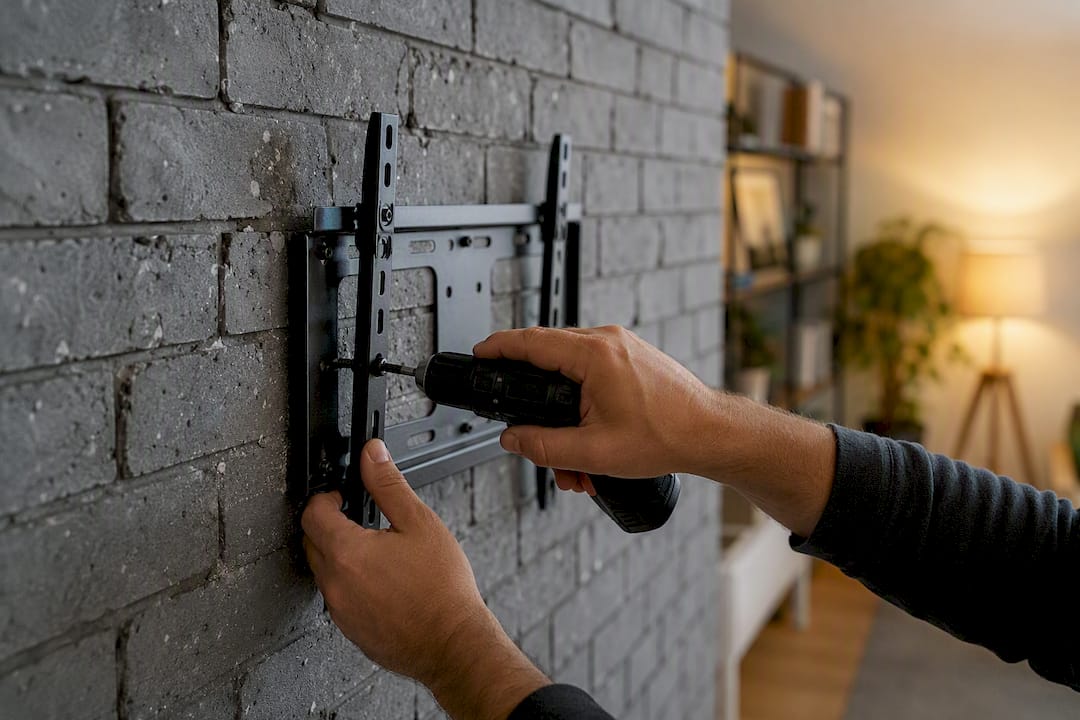
Start by unscrewing the bracket from the wall plate, then back out each anchor slowly with the appropriate driver or wrench, rather than prying at the plate itself. Tapcon screws typically back straight out with a Phillips or hex driver. Wedge anchors and Rawlbolts may require loosening the nut first, then tapping the sleeve gently to free it, since these expand against the sides of the drilled hole.
Once the anchors are out, you'll have small round holes in the brick face, usually 1/4 to 3/8 inch in diameter. These don't need patching structurally, but if you want a clean look:
- Fill holes with a color-matched masonry patch compound or exterior-grade caulk for interior brick.
- Let it cure fully before repainting or leaving it exposed, following the product's instructions.
- If you plan to remount in the same spot, leave the old holes alone. Reusing slightly larger anchors in the same location, or a similar sized one, is easier than starting new holes exactly beside them.
Avoid using a pry bar or hammer to force a stuck bracket off the wall. If an anchor won't back out cleanly, cut the screw head flush with a rotary tool instead of hammering it, which risks cracking the surrounding brick. Patience here saves you a much bigger repair job than the mount install ever was.
Why Brick Isn't the Hard Part
Everyone treats brick like the intimidating part of a TV install, and honestly, it's the easy part. Once you know to avoid mortar and size your anchors correctly, brick is more forgiving than a lot of drywall setups where you're hunting for studs that might not even be where you need them.
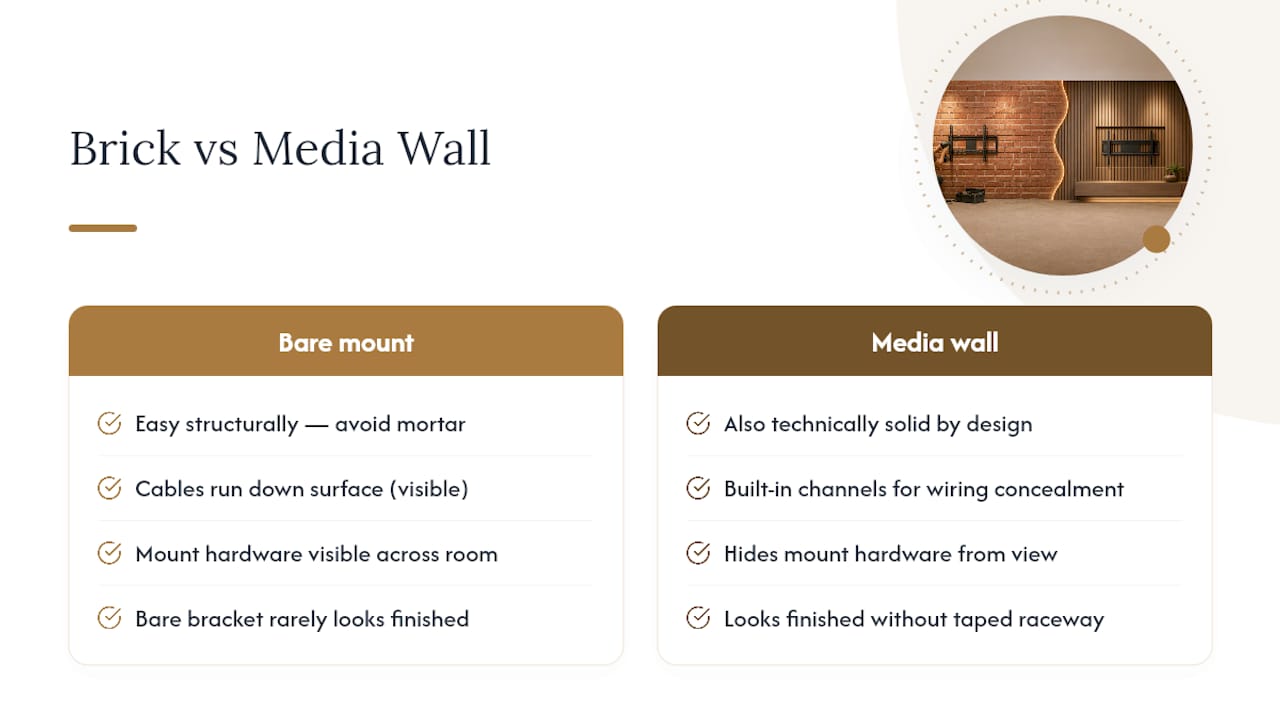
The part nobody warns you about is what happens after the TV is up: the cable clutter running down a brick fireplace surround, the mount hardware you can see from across the room, the fact that a bare bracket on raw brick rarely looks finished. That's the gap between a technically correct install and one that actually looks intentional in your living room. A pre-cut media wall kit solves that second problem by design, with built-in channels for wiring instead of a surface raceway taped to the wall.
If you're weighing a bare masonry mount against a finished media wall, ask yourself what you'll think about the cables in six months, not just whether the anchors hold.
— Jake
A Cleaner Way to Finish Your Brick TV Wall
Drilling anchors into brick gets your TV up. It doesn't hide the cable runs, the mismatched wall plate, or the fact that your fireplace surround still looks unfinished around the mount. Themediawallstore's pre-cut, pre-labeled kits are built specifically to solve that second half of the project, with openings positioned for your mount and hidden channels that route cables out of sight instead of down the brick face in a surface raceway.

Homeowners who want a finished, custom-look media wall without hiring a contractor or waiting weeks for a build are exactly who these kits are designed for. Every kit ships with the panels labeled for assembly over a weekend, and support plus risk-free returns back up the purchase if something isn't right. If your brick surround includes a fireplace, browse the brick media wall designs for layouts built around exactly that setup. Ready to see what fits your space? Shop the current media wall kits and get a finished look installed in a weekend instead of a month.
Sources
- How to mount a TV on a brick wall | This Old House
- How to mount a TV on a brick wall | Pine Hall Brick
- Mounting your TV on brick or stone: what you need to know | MantelMount
FAQ
Is it better to mount a TV in brick or mortar?
Always mount into the brick itself, never the mortar joints. Brick is dense fired clay that holds anchors securely, while mortar is a softer sand and cement mix that can crumble and loosen over time.
Can I hang a TV on brick without drilling holes?
Not securely for any TV of meaningful weight. Adhesive-only or no-drill mounts aren't rated for the sustained static load of a television and risk the TV falling; drilled masonry anchors are the reliable method.
What kind of TV mount do I need for brick?
Any standard VESA-compatible fixed, tilt, or full-motion mount works on brick, as long as you pair it with masonry-rated anchors like Tapcon screws or wedge anchors sized to your TV's weight.
What TV mounting kit is suitable for brick walls?
Look for a mount rated for at least 1.5 times your TV's weight, especially for full-motion arms, and confirm the bracket includes at least four anchor points for even load distribution across the brick face.
Do I need a hammer drill to mount a TV on brick?
Yes, a standard drill can't efficiently penetrate brick. A hammer drill or SDS rotary hammer with a masonry bit is necessary to create clean, properly sized anchor holes.