For most TVs, a passive copper HDMI cable works reliably up to 25 to 50 feet at 1080p, 15 to 25 feet at 4K@60, and 10 to 15 feet at 4K@120 or 8K. If your run is longer than that for your resolution, switch to an active copper cable, a fiber AOC cable, or an HDBaseT extender instead of pushing a passive cable past its limit. For certification, look for Premium High Speed on 4K60 setups and Ultra High Speed, or Ultra96 if you want extra headroom, on anything higher.
TL;DR:
- At 28 AWG, passive copper typically reaches 15 to 25 feet at 4K@60; some 24 AWG cables extend 4K@30 runs to 50 feet.
- Fiber AOC carries 48 Gbps up to 330 feet, while Cat6A extenders reach roughly 230 feet but may require chroma subsampling.
- For cables routed inside walls, use CL2 or CL3 ratings, measure bends, and leave 6 to 12 inches of slack at each end.
- Scan the verification code for the exact cable length, and check active or fiber cables for direction arrows and any external power requirement.
Table of Contents
- Recommended HDMI Cable Lengths by Resolution and Construction
- Why Long HDMI Runs Lose Signal Quality
- Comparing Long-Run HDMI Solutions
- Planning Your Wall-Mount Cable Route the Right Way
- What to Check Before You Buy an HDMI Cable
- How Precut Media Wall Kits Prevent Common Cable Mistakes
- The Real Lesson on HDMI Length: Plan the Route, Not Just the Cable
- A Cleaner Way to Hide Your HDMI Run: The Media Wall Store
- FAQ
- Sources
Recommended HDMI Cable Lengths by Resolution and Construction
The right length depends on two things: what resolution and refresh rate your TV actually runs, and how thick the copper inside the cable is. Thinner wire (a higher AWG number) loses signal faster over distance, while thicker 24 AWG wire holds up longer than the common 28 AWG standard.

According to Hdmi, passive copper at 28 AWG typically handles 4K@30 up to about 25 to 30 feet, 4K@60 up to roughly 15 to 25 feet, and 4K@120 or 8K up to about 10 to 15 feet. Stepping up to 24 AWG wire can stretch some of those numbers considerably, with 4K@30 reaching as far as 50 feet in some cables.
Once you go past those windows, you need a different cable type, not just a longer version of the same one:
- Active copper cables use a built-in chip to boost the signal, extending reliable 4K@60 performance to around 50 feet in many cases.
- Fiber AOC cables carry the full signal over glass fiber and can run up to 330 feet at 48 Gbps, with no copper-style attenuation.
- HDBaseT extenders over Cat6A can push 4K@60 out to roughly 230 feet, though some formats trade off chroma subsampling to get there.
A wall-mounted living room TV with a console a few feet below rarely needs anything beyond a well-rated passive cable. A projector mounted across a long room, or a TV fed from a basement equipment closet, is where active copper or fiber starts to matter. Match the solution to the actual distance rather than buying extra length "just in case," since unnecessary slack adds bulk you'll have to hide later.
Why Long HDMI Runs Lose Signal Quality
HDMI signals weaken as they travel through copper, a process called attenuation. The higher the bandwidth, the less room there is for that loss before the picture starts to break down. According to SysAdminSage, HDMI 2.1 signals running at 48 Gbps fail over much shorter passive runs than the older 18 Gbps HDMI 2.0 standard, because there's simply less margin for voltage drop before the receiving device can't lock onto the signal.
Electromagnetic interference adds another variable. A cable running near power lines, dimmer switches, or other electronics can pick up noise that degrades the signal even within its rated length, which is why shielding quality and connector construction matter as much as raw distance.
Watch for these symptoms as a cable approaches its limit:
- A drop to a lower resolution than the source is sending
- Sparkles, flickering, or momentary color distortion
- Intermittent dropouts that come and go
- A complete black screen with no signal detected
Pro Tip: If you see any of these symptoms, swap in a known-short cable first. If the problem disappears, the length (not the TV or source device) is the issue.
Beyond swapping cables, check that connectors are fully seated, confirm the source device is outputting the resolution you expect, and verify any active cable is getting the power it needs.
Comparing Long-Run HDMI Solutions
Once a run exceeds passive copper's practical range, you have four real options, each suited to a different distance and budget.
- Active copper works well for mid-range runs, typically up to 50 feet for 4K@60. Many active cables are directional, meaning the source and display ends are marked and must be connected correctly, and some draw power from the HDMI port or a small USB tail.
- Fiber AOC cables preserve full bandwidth over much longer distances, up to 330 feet at 48 Gbps. They're also directional and lighter than thick copper, though the glass core makes them less tolerant of tight bends when fishing through walls.
- HDBaseT extenders over Cat6A suit installs where you already have network-style cabling in the walls, reaching up to roughly 230 feet depending on the format and chroma subsampling used.
- HDMI-over-IP or fiber-to-SFP setups make sense mainly for commercial or whole-home distribution, where multiple displays share a single source over a network backbone rather than one point-to-point cable.
For a single wall-mounted TV with a nearby equipment shelf, active copper usually covers it. For a run across a house, into a detached room, or to an outdoor space (our partners at Forever Glow handle weatherproof outdoor video and lighting installs for exactly these kinds of setups), fiber AOC or HDBaseT is the more reliable choice.
Planning Your Wall-Mount Cable Route the Right Way
Hiding an HDMI cable behind a mounted TV takes a bit more planning than running it along the floor. Getting the measurement and materials right the first time saves you from opening the wall again later.
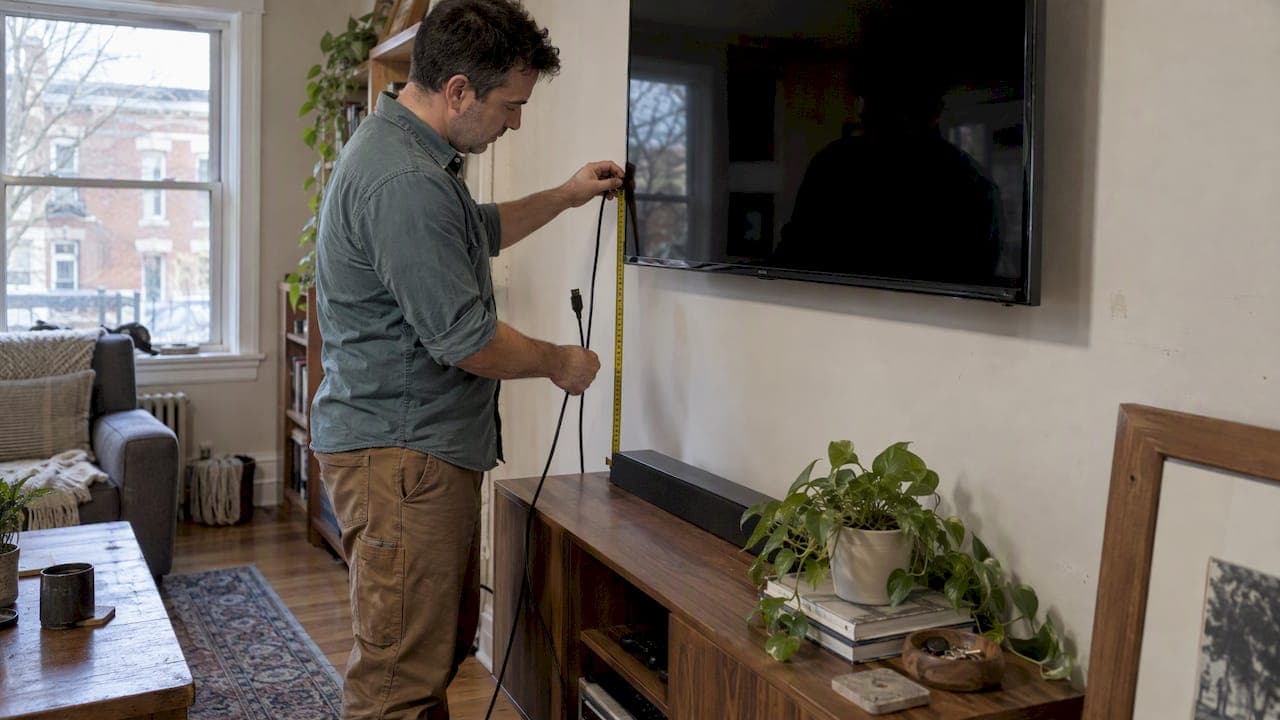
- Measure the actual route the cable will take, not a straight line from TV to equipment, and add 6 to 12 inches of slack at each end for connector clearance and future adjustments.
- Account for every bend in the route, since tight 90 degree turns inside a wall cavity use up more cable length than they appear to on paper.
- Use only CL2 or CL3 rated cable (CL2P or CL3P for plenum spaces) for any run that goes inside a wall; standard jacket cables aren't built for that environment and may not meet local electrical code.
- Choose conduit over a simple fish-tape pull when you expect to swap cables later, since conduit lets you retrofit without cutting drywall again.
- Add low-profile or right-angle adapters at the TV end to avoid stressing the cable where it meets a wall-mount bracket; our guide on hiding wires behind a mounted TV covers routing options that avoid cutting walls entirely.
- Label both ends of the cable clearly, a step detailed in our wall cable labeling guide, so future troubleshooting doesn't mean guessing which cable goes where.
- Leave a testable pull loop at any access point, and write down the cable type and length you used in case you need to match it later.
What to Check Before You Buy an HDMI Cable
Picking the right cable at the store or checkout matters as much as planning the route. A few checks keep you from buying something that looks fine on the shelf but can't actually handle your TV's output.
- Confirm the certification label: Premium High Speed supports up to 18 Gbps, which covers 4K@60; Ultra High Speed supports up to 48 Gbps for 4K@120 or 8K; Ultra96 is the newer tier built for even higher future bandwidths.
- Scan the verification QR code or check the retailer's verification banner, since every individual length of a certified cable model is tested separately rather than certified as a single blanket rating.
- Check the AWG rating printed on the cable or its packaging: a lower number (24 AWG) means thicker wire and better reach than the more common 28 AWG.
- Look for directional arrows on active and fiber cables, which must be installed source-end to display-end, and check whether the cable needs external or USB power that your source device can actually supply.
Every length of every certified cable model goes through separate testing before it earns a verification label, according to HDMI.org's certification program, which is why a 10 foot and a 25-foot version of the "same" cable can perform differently even with identical branding.
How Precut Media Wall Kits Prevent Common Cable Mistakes
Most HDMI length problems we see trace back to guesswork during installation rather than a bad cable. A homeowner measures once, cuts corners on slack, or runs standard-jacket cable inside a wall without checking the rating. Pre-cut, pre-labeled panels remove most of that guesswork because the channels and connection points are already planned, which is part of why our kits are designed to install in a weekend rather than stretching into a multi-week project.
The most common fixes we walk customers through are adding slack where a cable was pulled too tight, swapping in a properly rated jacket for an in-wall run, and replacing a straight connector with a low-profile one where clearance is tight. A kit with clear routing handles straightforward installs well; a layout with multiple components, built-in fireplaces, or complex wiring is where requesting white-glove installation saves the most time.
The Real Lesson on HDMI Length: Plan the Route, Not Just the Cable
Most advice on this topic treats HDMI length as a single number to shop for, as in "buy a 25 foot cable and you're set." That framing undersells the problem. The resolution and refresh rate your TV actually outputs matters more than the raw distance, and a 15-foot run pushing 4K@120 can fail where a 25 foot cable at 1080p works fine.

The bigger mistake we see isn't buying the wrong cable length, it's buying the length first and planning the route second. Measuring the real path, including bends and slack, should happen before anything gets added to a cart. A cable that's technically within spec can still fail if it's forced through a tight radius or left without any extra room for connectors to seat properly.
If you only do one thing differently after reading this, match your cable to your TV's actual resolution and refresh rate first, then size the length to your measured route, not the other way around. Certification labels and AWG numbers matter, but they only help once the planning step is done right.
— Jake
A Cleaner Way to Hide Your HDMI Run: The Media Wall Store
If the idea of fishing cable through drywall, checking jacket ratings, and hoping your slack measurement was right sounds like more than you want to take on, pre-cut, pre-labeled media wall kits are built to solve that from the start. Every kit includes hidden wire channels and labeled connection points, so the cable management decisions are made before the panel reaches your wall.

For straightforward layouts, Media Wall Kits are designed for a weekend DIY install with no contractor needed. For larger or more complex setups, especially ones involving a built-in fireplace or custom cabinetry, White-Glove Installation service handles the routing and mounting.
| Approach | Best for | Cable planning required |
|---|---|---|
| DIY precut kit | Straightforward wall mounts | Minimal, channels are pre-built |
| White-glove installation | Complex layouts, fireplaces, cabinetry | Handled for you |
| Standard DIY wall cut | Fully custom installs | Full measurement and rating checks |
If you want a second set of eyes on your layout before you commit, a Full Design & Quote service is available as a one-off option that walks through your space and confirms what will actually fit. Visit the shop to get started on a kit that fits your wall.
FAQ
How long do HDMI cables go?
Passive copper HDMI cables reliably run up to about 50 feet at 1080p and down to 10 to 15 feet at 4K@120 or 8K, with the safe distance shrinking as resolution and refresh rate increase. For longer distances, active copper, fiber AOC, or HDBaseT extenders can extend reliable runs up to 330 feet depending on the method.
What are the different versions of HDMI?
HDMI versions are tied to bandwidth and certification tier: Premium High Speed supports up to 18 Gbps for resolutions like 4K@60, while Ultra High Speed supports up to 48 Gbps for 4K@120 and 8K. A newer Ultra96 tier is being introduced for even higher future bandwidths.
Where can I buy HDMI cables online?
HDMI cables are widely available from electronics retailers and cable manufacturers' own sites, where certified models display a verification label or QR code confirming testing for that specific length. Checking for that certification matters more than the seller, since an uncertified cable can underperform regardless of where you buy it.
Is 50 ft HDMI too long?
A 50-foot passive copper cable works fine for 1080p but is too long for reliable 4K@60 or higher, where passive limits typically fall between 10 and 25 feet. At 50 feet with higher resolutions, an active copper cable or a fiber AOC cable is the more reliable choice.
Sources
- Hdmi
- Conversions Tech — HDMI cable length limits (4K/8K) and solutions
- SysAdminSage — How long can an HDMI cable be? Max length & solutions