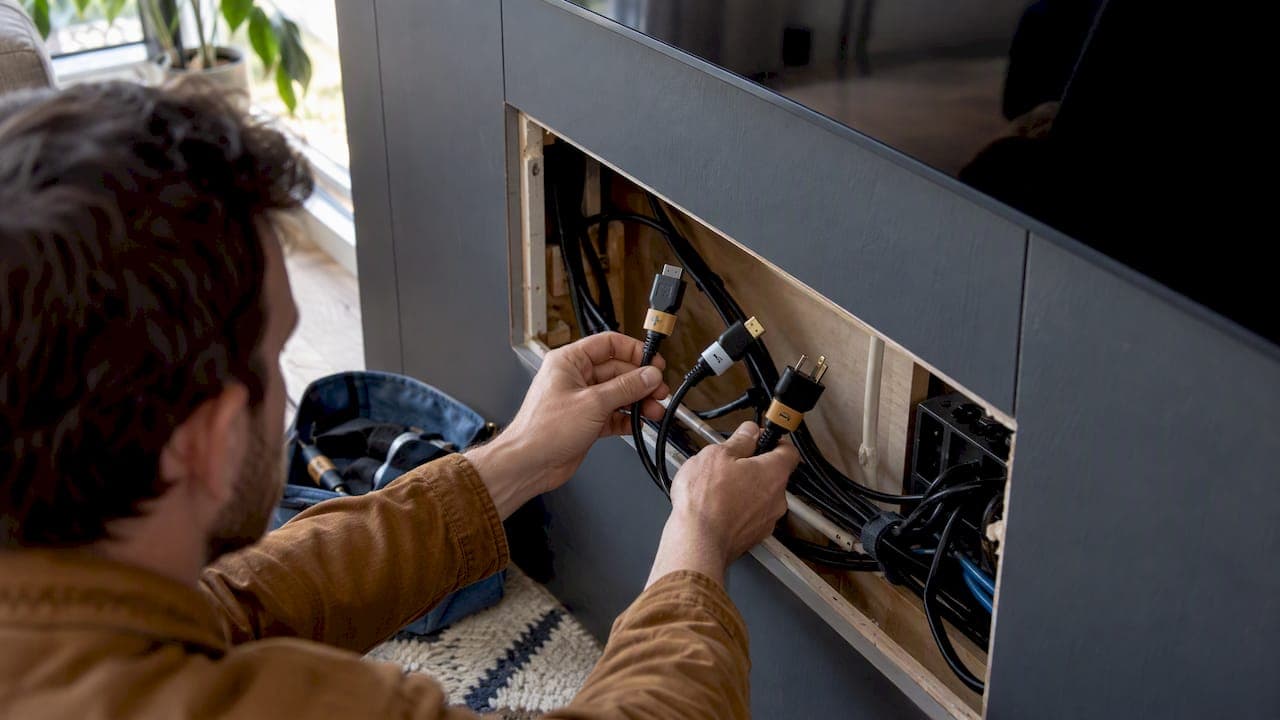
Self-laminating wrap labels are the best choice for most wall-mounted TVs because you can apply them to cables that are already connected, without unplugging anything. If you swap gaming consoles or streaming boxes often, reusable hook-and-loop labels are worth the small extra cost. The shortlist and steps below cover both, plus a safety rule you should never skip.
TL;DR:
- Self-laminating wrap labels are ideal for applying to live cables behind mounted TVs without unplugging, offering waterproof and tear-resistant branding.
- Hook-and-loop labels are reusable and best suited for frequently swapped devices like streaming boxes or gaming consoles, provided they fit the cable diameter.
- Proper measurement and testing are crucial before buying labels to ensure they are long enough, adhesive residue-free, and resistant to fading or smudging over time.
- Never run extension cords through walls or ceilings, as this creates fire hazards; the safe solution is installing a permanent, wall-rated outlet.
- Label both ends of long cables to simplify routing and future upgrades, and store extra labels nearby for quick relabeling during device changes.
Table of Contents
- 1. Best cable label types for wall-mounted TVs
- 2. What to look for before you buy labels
- 3. How to label and route cables behind your wall-mounted TV
- 4. Why you should never run an extension cord through a wall
- 5. Why labeling matters more in a luxury media wall
- An alternative: pre-labeled media wall kits done for you
- FAQ
- Sources
1. Best cable label types for wall-mounted TVs
Four label styles show up again and again behind wall-mounted televisions, and each fits a different situation.
Self-laminating wrap-around labels wrap around the cable and fold a clear laminate flap over the writing, sealing it against moisture and fingerprints. Industry guidance from HellermannTyton points out that professionals favor this style for retrofitting cables that are already terminated, since you never have to disconnect anything to apply them. That makes them the natural pick for an HDMI cluster or power cord running behind an already-mounted TV.

Hook-and-loop (fabric) labels close like a tiny strip of Velcro and pull off cleanly without leaving sticky residue, according to the Wrap-It product listing on Target. They shine in setups where you regularly swap a streaming box or game console, since you can remove and reposition them without buying a new label. Measure your cable's diameter against the label's wrap length before buying. Thick, shielded HDMI or heavy-duty power cords need extra length margin to close securely.
Adhesive writable tags, like the kind sold under names such as PATIKIL, are flat stickers you write on directly. They cost little and work fine for a cable you label once and rarely touch again, but repeated peeling can loosen the adhesive on cables you move often.
Heat-shrink tubing is the permanent option: you slide it over an unterminated cable end and shrink it with heat, creating a durable, snug-fitting ID. HellermannTyton's comparison notes this style suits harsh or permanent environments but isn't retrofit-friendly, since the cable usually has to be re-terminated. Save it for new installs, not an existing wall-mounted setup.
| Label type | Writable surface | Reusable | Durability/waterproof | Pack size/price range | Best for |
|---|---|---|---|---|---|
| Self-laminating wrap (NeoLum-style packs) | Marker or pen, sealed under laminate | No | Waterproof and tear-resistant per retail listing | Multi-pack of small labels, budget-friendly | HDMI clusters, power cords on terminated cables |
| Hook-and-loop fabric (Wrap-It) | Marker, writable fabric face | Yes | Residue-free removal, moderate wear resistance | Small multi-packs | Consoles and streaming boxes swapped often |
| Adhesive tag (PALIKIR-style) | Marker or pen | No | Basic, no laminate seal | Low-cost multi-packs | Simple, low-movement cables |
| Heat-shrink tubing | Printed or marker, sealed by heat | No | Highly durable, permanent | Sold by length or kit | New installs, Ethernet runs, permanent wiring |
A few quick matches by cable type:
-
HDMI cluster behind the TV: self-laminating wraps, since you can apply them without unplugging a live connection.
-
Power cords: self-laminating wraps for a waterproof seal near outlets.
-
Ethernet runs: heat-shrink if you're running fresh cable, adhesive tags if it's already installed.
-
Soundbar cables: hook-and-loop, since soundbar placement tends to change more than TV placement.
2. What to look for before you buy labels
A label that looks fine in the package can still fail once it's wrapped around a warm, slightly curved cable behind your TV. A few criteria separate the labels worth buying from the ones you'll be replacing in a month.
- Writable surface and marker compatibility: a glossy laminate can resist permanent marker ink; test on a scrap piece if you can.
- Label length versus cable diameter: measure your thickest cable first, since a label that's too short won't close securely.
- Adhesive type and residue: adhesive tags are harder to reposition than hook-and-loop closures, so match the type to how often you'll move that cable.
- Laminate or protective coating: a sealed, laminated surface resists smudging far better than bare ink on paper.
- Pack count versus your actual cable count: count the cables behind your TV before ordering, including power, HDMI, Ethernet, and any soundbar or streaming box lines.
Before buying, check the product listing or Q&A section for mentions of fading, smudging, or reports that the adhesive won't release cleanly. Those are red flags, especially if you plan to swap devices later. A label rated for a thin cable that you try to wrap around a bundled power cord is another common mismatch worth avoiding.
Pro Tip: Buy a few extra labels beyond your current cable count. You'll add a device eventually, and having a spare on hand beats a second order for one label.
3. How to label and route cables behind your wall-mounted TV
Labeling goes faster and holds up longer when you follow a simple order of operations instead of labeling cables as you find them.
- Photograph the setup and power down your TV and connected devices before touching anything, so you have a reference if a cable gets unplugged by accident.
- Identify and separate cables by function: power, HDMI, Ethernet, and audio should each be grouped before you start writing.
- Apply labels near the connector ends, oriented so the text reads right-side up when you reach behind the TV.
- Bundle and route the cables, leaving a small service loop at each end so you can unplug and replug without removing the label or bending the cable sharply.
- Test every connection and document it, a photo or a simple written list of which label matches which port.
A fine-tip permanent marker holds up best on laminated or heat-shrink surfaces, while a standard ballpoint tends to smear on unlaminated adhesive tags. When routing, avoid tight bends that stress the cable jacket, and never staple or pierce the insulation to secure a bundle. A TV mounting and cable-routing guide covers similar routing basics if you want a second reference while you work. Keep a few spare labels and a marker in a drawer near the TV so relabeling after a device swap takes minutes, not a new shopping trip.
Pro Tip: Label both ends of any cable that runs any real distance, not just the end near the TV, so you can trace it without following the whole run by hand.
4. Why you should never run an extension cord through a wall
Labeling and bundling cables neatly is only half the job. If your wall-mounted TV needs power where there's no nearby outlet, don't thread an extension cord through the wall or ceiling to reach one. The CPSC and the Electrical Safety Foundation International both warn against running cords through walls, doorways, ceilings, or floors, since hidden cords can overheat without anyone noticing.

A significant number of home fires start in extension cords each year, according to ESFI, largely from improper long-term use. The safe fix is a permanent, in-wall-rated outlet or an electrician-installed receptacle positioned behind the TV. Our guide to legal ways to power a wall-mounted TV walks through both code-compliant options.
5. Why labeling matters more in a luxury media wall
A media wall built around hidden wire channels and floating cabinetry hides the mess, but it doesn't eliminate the need to know which cable is which. We favor serviceable, self-laminating labels in any kit that might see an AV upgrade down the road, since a relabel takes seconds while recut access panels don't. Readers managing finishes and lighting alongside their cable runs can browse our media wall accessories for add-ons that pair with a labeled, routed system.
— Jake
An alternative: pre-labeled media wall kits done for you
Buying individual label packs works well if you already have a wall-mounted TV and want to tidy up the wiring yourself. If you'd rather skip the shopping list entirely, our media wall kits arrive pre-cut and pre-labeled, so the routing and identification work is already done before the panels go on the wall.

- Pre-labeled wiring paths mean no guessing which cable goes where during assembly.
- Design support ranges from a Single Concept Design to a Full Design & Quote if you want a complete plan before you buy.
- Installation services are available for anyone who'd rather not handle the mounting and routing at all.
This is a different route to the same clean result, not a replacement for a simple label pack. Browse media wall kits or start with the shop to see current options.
FAQ
How do I label cable cords correctly?
Group cables by function first (power, HDMI, Ethernet), then apply labels near the connector ends so the text faces outward for easy reading. Self-laminating wraps work on cables that are already plugged in, while adhesive tags and heat-shrink tubing suit cables you're installing fresh.
How can I hide cables for a wall-mounted TV?
Common non-invasive options include cord covers, cable raceways, and furniture placement that routes cables along a wall edge rather than through it. Our guide to hiding wires without cutting walls covers several methods step by step.
What is the best cable hider for a wall-mounted TV?
The right hider depends on whether you want a removable solution or a permanent one; paintable cord covers suit renters and temporary setups, while an in-wall-rated cable kit suits a permanent installation. Our safe DIY guide to hiding TV wires in a wall explains which option fits which situation.
What is the best cord hider for a wall-mounted TV?
A cord hider and a cable hider refer to the same category of products, and the best pick again depends on permanence: adhesive raceways for a quick fix, in-wall kits for a finished look. Avoid running any power cord through the wall itself unless it's a rated in-wall power kit designed for that purpose.
Are heat-shrink labels better than self-laminating labels?
Heat-shrink tubing is more durable and permanent, but it requires sliding the tubing over an unterminated cable end, which makes it impractical for cables already plugged in behind a mounted TV. Self-laminating wraps trade a little durability for the ability to apply them to live, terminated connections.
Sources
- CPSC: Limit extension cords to reduce risk of fire
- ESFI: Reaching to safety — use extension cords properly
- HellermannTyton: Self-laminating vs heat-shrink labels