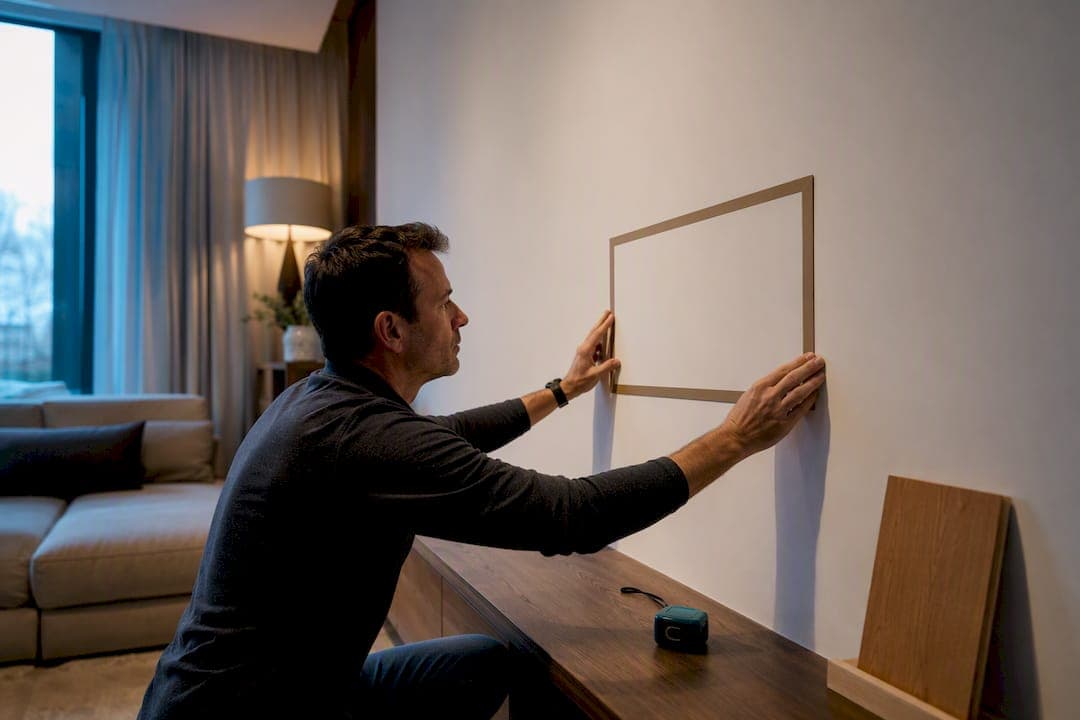
Mount the center of your TV at seated eye level, roughly 40 to 44 inches from the floor, with 42 inches as the standard baseline. That number barely moves as screen size changes; what shifts is the bottom edge. On a large TV like around 65 inches, that puts the bottom edge roughly a little over two feet off the floor. Before anything else, sit where you actually watch and measure the height of your eyes.
TL;DR:
- Most TV mounts are centered around 42 inches from the floor, but individual eye height measurements can vary between 40 and 44 inches for comfortable viewing.
- The bottom edge of a 65-inch TV at a 42-inch eye level is typically about 26 inches from the floor, with larger screens pushing the bottom lower than expected.
- Wall space should account for at least 6 to 12 inches of clearance on each side and a few inches above for ventilation, with precise measurements from guides and specs to prevent obstructions.
- Confirming stud locations with a stud finder and planning cable routing before drilling are critical to safe, stable mounting, especially for larger or full-media wall setups.
Table of Contents
- How Do You Measure Seated Eye Height for a TV Wall?
- How Do You Calculate the Right Mount Height?
- How Do You Measure Your TV and the Wall Space?
- How Do You Mount a TV Above a Fireplace Without Ruining the Angle?
- How Do Room Lighting and Glare Affect Your Measurements?
- How Should You Plan Cable Management and Outlets Before Mounting?
- What Weight and Safety Limits Matter for Mounting Hardware?
- How Do You Choose TV Height With Multiple Seating Areas?
- How Does Room Layout Change the Ideal TV Height?
- Installer Pros: Common Mistakes and Quick Fixes
- Skip the Guesswork With a Kit Built for Your Wall
- Quick Links: Calculators and Spec Pages
- Sources
- FAQ
How Do You Measure Seated Eye Height for a TV Wall?
Every calculation that follows depends on one number: where your eyes land when you're sitting in your normal spot. Get this wrong and every other measurement inherits the error.
- Sit in your usual viewing seat, in your usual posture (not bolt upright, unless that's genuinely how you watch).
- Measure straight down from the outer corner of your eye to the floor.
- Repeat this in every seat that matters, if you have an L-shaped sectional or a mix of chairs and a sofa.
- Average the results if the numbers differ by more than an inch or two.
- Measure the horizontal distance from that seat to the wall where the TV will hang.
For most sofas, that eye height falls between 40 and 44 inches, which is exactly why 42 inches has become the installer's default. If you want a second data point, SMPTE and THX recommend keeping the TV within roughly a 30-degree vertical viewing angle. That mostly confirms what your eye-height measurement already told you.
If your household splits time between a low sectional and a taller recliner, don't average blindly. Pick the seat that gets used most, and treat the other as a secondary check rather than the deciding vote.
How Do You Calculate the Right Mount Height?
Once you know your eye height, the math is simple. The center of the screen goes at that height. The bottom edge and top edge fall equal distances above and below it, based on the screen's actual height, not its diagonal.
The formula for a standard 16:9 TV: screen height = diagonal × 0.4903. Then: bottom edge = eye level − (screen height ÷ 2).
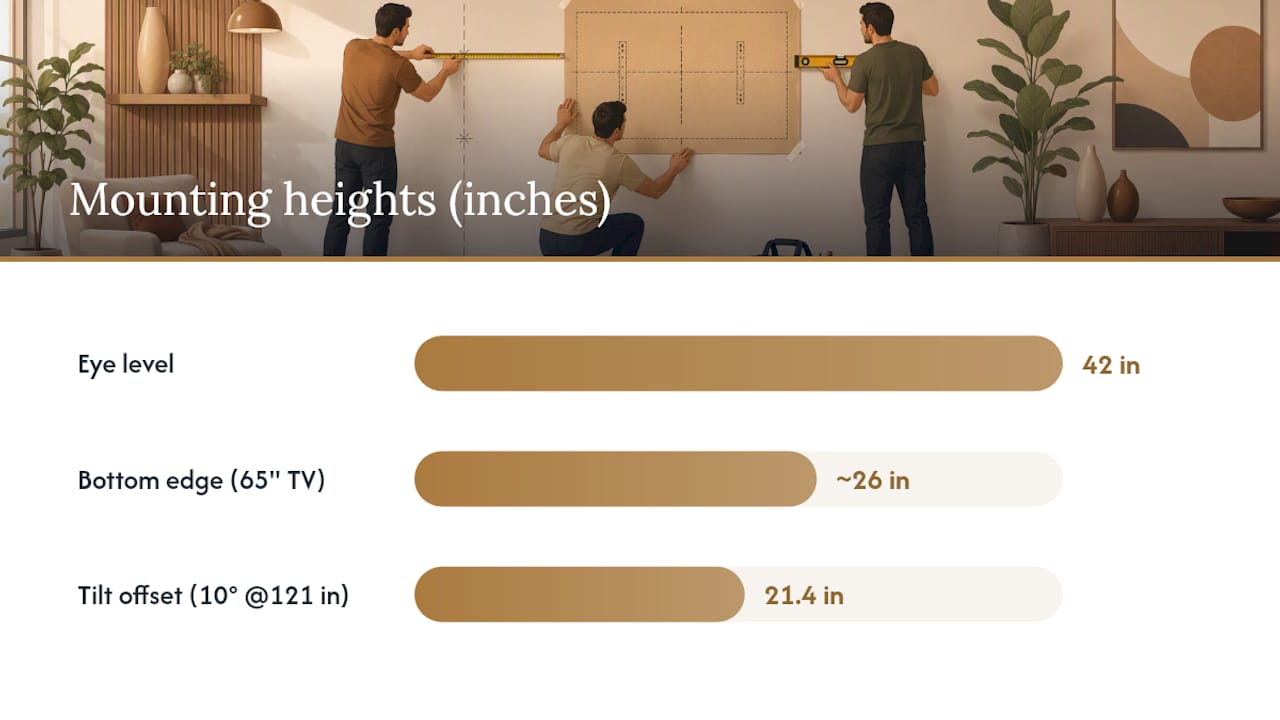
For a TV mounted above a fireplace with a tilting bracket, add a tilt offset: adjusted center height = eye level + (viewing distance × tan(tilt angle)). A 10-degree tilt at about 121 inches of viewing distance adds roughly 21.4 inches to the center, which is why fireplace installs often end up much higher than a standard console mount and still feel comfortable.
Here's how that plays out for the three sizes people buy most, using a 42-inch eye height:
A 65-inch TV at a 42-inch eye level lands the bottom edge around 26 inches. This is the single most-quoted example in the mounting-height world for good reason. It's the size most living rooms end up buying.
A few things worth flagging before you touch a drill:
- Bracket holes usually sit a few inches above and below center, not at the very top and bottom of the TV.
- Bigger screens push the bottom edge lower, not higher. That surprises a lot of first-timers.
- If your ceiling is low or your console is tall, you may need to compromise slightly below the ideal center, favoring comfort over the textbook number.
How Do You Measure Your TV and the Wall Space?
Screen diagonal tells you almost nothing about how much wall you need. A 65-inch TV measures roughly 57 inches wide and 32.5 inches tall, and that's before you factor in the stand or any bezel overhang. Always pull the actual width, height, and depth from the manufacturer's spec sheet, not the box label.
Before you buy or mount anything, run through this:
- Measure your wall's usable width and subtract for outlets, switches, or trim that might interfere.
- Leave 6 to 12 inches of breathing room on each side of the TV if it's flanked by shelving or cabinetry, or it reads as cramped rather than intentional. For guidance on wall styling and art placement that complements media wall aesthetics, see how to style a living room with fine art photography prints.
- Leave a few inches of clearance above the TV for ventilation, especially if it's boxed into built-ins.
- If you're setting the TV on a console, measure the console's top surface and depth to confirm the TV won't overhang or block the remote's line of sight to the receiver.
- Check viewing distance against screen size: divide your seating distance in inches by 1.6 to 2 to land on a comfortable diagonal. A 10-foot seating distance points to something in the 60 to 75 inch range.
If you're building the TV into a full media wall rather than a standalone mount, these margin numbers matter even more, because cabinetry and slat paneling amplify any spacing mistake instead of hiding it.
How Do You Mount a TV Above a Fireplace Without Ruining the Angle?
Above-fireplace installs break the standard eye-level rule almost every time, because the mantel forces the TV higher than 42 inches would ever put it on its own. A tilting mount, typically angled 5 to 15 degrees downward, compensates by angling the screen back toward the seating area instead of leaving it staring over everyone's heads.
- Measure mantel height and depth first. That depth often dictates how far off the wall your bracket needs to sit just to clear the mantel edge.
- Calculate how much tilt you need using the offset formula, and check it against your actual viewing distance rather than a generic number.
- If the required tilt exceeds what your bracket offers, or the TV would sit more than a foot or two above ideal eye level even with tilt, that's the point to bring in a professional installer instead of forcing it.
- Confirm heat clearance. Manufacturers typically specify a minimum distance from an active firebox, and running a TV hot for years shortens its life.
Pro Tip: If you're mounting higher than 50 to 55 inches at center even with maximum tilt, test the sightline for a full evening of real viewing before you finalize the height. A few days of neck strain will tell you faster than any calculator.
Long-term comfort matters as much as the math. A center height that "looks right" from across the room can still cause neck fatigue after a two-hour movie, which is the entire argument for checking heat and sightline clearance before you commit to a fireplace mount.
How Do Room Lighting and Glare Affect Your Measurements?
Height math assumes a dark room and a fixed seat. Real rooms have windows, and windows change everything.
If your main seating faces a window or a bright lamp, glare can wash out the exact height and angle that looked perfect on paper. The fix usually isn't a different height calculation. It's a slight shift in the wall segment you mount to, or a change in TV finish (matte versus glossy) if you're buying new.
Walk your room at the time of day you actually watch TV, not at noon if you watch at 8 p.m. Stand where the TV will hang and look back at your seat. If you see a bright reflection of a window or overhead fixture, that same reflection will land on the screen once it's mounted. Shifting the TV position by even 12 to 18 inches along the wall, while keeping the same calculated height, often solves this without touching your eye-level number at all.
For rooms with strong afternoon sun, consider whether blackout curtains or repositioning furniture is more realistic than fighting the sun with mount height alone. Height and lighting are two separate problems, and mixing them tends to create weird compromises where the TV ends up too high just to dodge a reflection that a curtain would have fixed for $30.
How Should You Plan Cable Management and Outlets Before Mounting?
Wire routing decisions have to happen before you drill, not after, because power outlet placement often dictates where the bracket can physically go.
Check where your existing outlets sit relative to your calculated center height. If the outlet is well below the TV, as it usually is, you have three real options: run an in-wall cable kit to hide the cord path, box in the wiring behind cabinetry, or add a low-profile power strip mounted just behind the TV's footprint. Building codes in some areas restrict running standard power cords through wall cavities, so an in-wall-rated kit matters if you go that route.
Map every outlet, cable jack, and HVAC vent on the wall before you finalize your bottom-edge measurement. Relocating an outlet after the TV is mounted is expensive and disruptive; planning around one in advance costs nothing but a few minutes with a tape measure. This is exactly where a media wall kit with built-in cable management earns its keep, since the routing channels are already planned into the panel layout instead of improvised with a cord cover you bought separately.
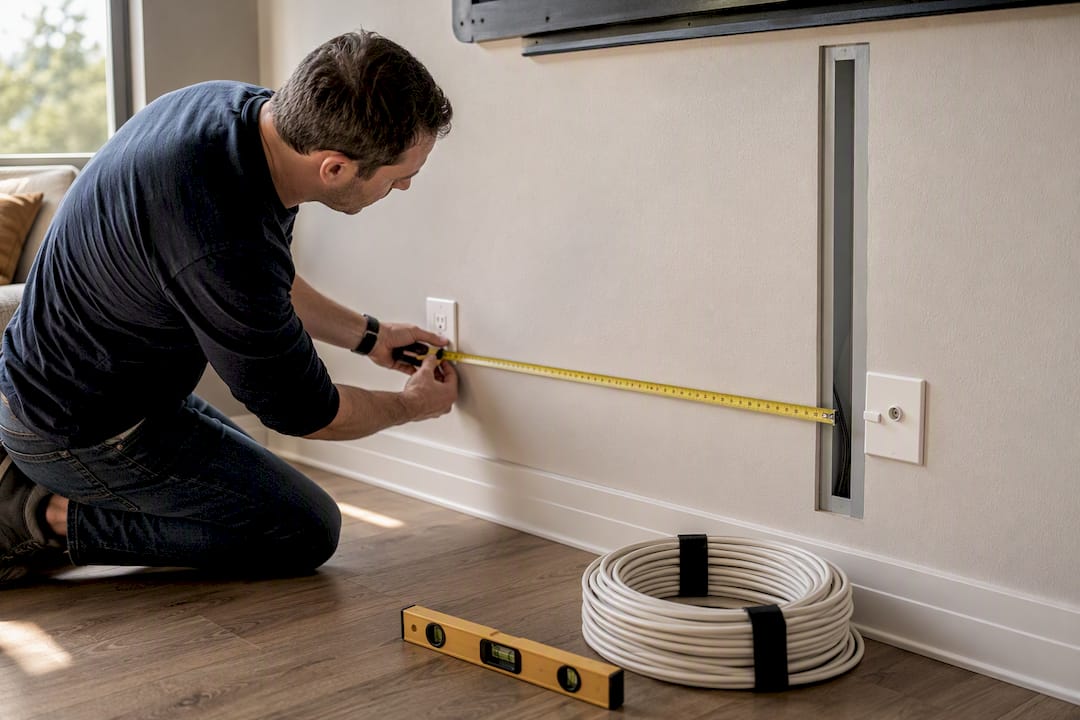
If you're adding a soundbar or a game console shelf, measure their footprint now too. A cable path that works for a TV alone often gets crowded once a receiver and two extra devices join it.
What Weight and Safety Limits Matter for Mounting Hardware?
Every bracket carries a maximum weight rating, and every wall type carries its own load limit. Ignoring either is how TVs end up on the floor.
Check your TV's actual weight, not an estimate, against the bracket's VESA rating before you buy hardware. A 75-inch TV can weigh 60 to 80 pounds depending on the panel technology, and a bracket rated for 50 pounds simply isn't safe at that size regardless of how sturdy it looks. Manufacturer spec pages, like Sony's wall-mount compatibility charts, list exact VESA hole patterns, screw sizes, and weight tolerances for specific models, which is far more reliable than eyeballing it.
Drywall alone cannot support a mounted TV. Every bracket needs to anchor into studs, and if the bracket's mounting holes don't line up with stud centers, a plywood backer panel spread across multiple studs is the safer fix, not drywall anchors rated for far less weight than a TV and bracket combined. This same weight logic applies whether the TV goes on a wall stud, a stone or brick fireplace surface requiring masonry anchors, or a media wall panel system, and the safety margin shouldn't shrink just because the installation looks less exposed.
How Do You Choose TV Height With Multiple Seating Areas?
Open-concept living rooms rarely have one seat. They have a sofa, a couple of accent chairs, maybe a stool at the kitchen island, all facing the same TV from different heights and angles.
The fix isn't averaging every seat equally. Identify the primary seat, the one used most often for the longest sessions, and calculate height from that eye level. Treat secondary seats as a sanity check: sit in each one after marking your template on the wall and confirm the angle is still watchable, even if it's not perfect.
If two seating areas are roughly equal in use, split the difference by no more than an inch or two rather than compromising heavily in either direction. A TV that's dead-on for a sofa and slightly high for a side chair beats one that's mediocre from both. For rooms where seating truly can't agree, a swivel or full-motion mount lets you adjust the angle by location rather than trying to solve it with height alone.
How Does Room Layout Change the Ideal TV Height?
A small den with one couch six feet from the wall calculates completely differently than a great room with a sectional 14 feet back and a breakfast bar behind it. Viewing distance changes both the ideal diagonal and how forgiving the height math is.
At close range, a few inches of height error is noticeable and uncomfortable fast. At 12 to 15 feet, the same error barely registers, because the vertical viewing angle shrinks as distance grows. That's part of why open-concept great rooms can get away with a slightly higher mount than the strict eye-level formula suggests, while a small den with a close sofa has almost no margin for error.
Layout also determines whether a fixed mount, a tilting mount, or a full-motion arm makes sense. A single straight-on seating arrangement rarely needs anything beyond a fixed or tilting bracket. A room where people watch from a kitchen island, a sofa, and an adjacent reading nook usually justifies the added cost of a full-motion mount, since it lets you pivot the screen toward whichever seat is occupied. Match the hardware to how the room actually gets used, not to how the floor plan looks on paper.
Installer Pros: Common Mistakes and Quick Fixes
The three mistakes that show up most: measuring standing instead of seated, treating the diagonal as the TV's width, and drilling before checking for outlets or vents behind the drywall.
The fix for all three is the same order of operations: measure seated eye height first, compute your center and bottom-edge numbers from that, then confirm every stud with a finder before you drill. Map obstructions early. Discovering an outlet behind your bracket after the holes are drilled is the kind of mistake that turns a Saturday project into a Sunday patch job.
— Jake
Skip the Guesswork With a Kit Built for Your Wall
A media wall kit is the alternative to eyeballing your dimensions and hoping the console, cable box, and TV all line up. Many kits ship pre-cut and labeled, with spacing for TV size and cable routing built into the panel layout, to help prevent common layout errors like drilling a bracket hole through a wire channel.

Many kits can be installed quickly, often within a weekend, and customer support is sometimes available if measurements are off. Some companies offer return policies if the finished look isn't satisfactory. Once you've calculated your TV's center height and bottom edge using the formulas above, browse media wall kits by size to find a layout that already matches your numbers, or check the full shop if you're still deciding between a fireplace design and a standard wall mount.
Quick Links: Calculators and Spec Pages
Run your own numbers with the TV mounting height calculator or the tilt-adjusted calculator. Always cross-check exact width, height, depth, and VESA screw patterns on your TV's manufacturer spec page before drilling.
Sources
- How high to mount your TV (TaskRabbit)
- How to measure TV size (CNET)
- Tvmountheight
- TV mounting height calculator (TechJunctions)
- Wall mounting - compatible Wall-Mount Brackets and screw hole distance measurements for BRAVIA TV (Sony)
FAQ
What Is the Standard Height to Mount a TV?
Most installers center the TV between 40 and 44 inches from the floor, with 42 inches as the common baseline for a seated viewer on a standard sofa.
How Do I Convert Eye Height to Bottom-Edge Height?
Subtract half the TV's actual screen height from your eye-level number; for a 65-inch TV at 42 inches, that puts the bottom edge around 26 inches.
Does TV Size Change the Recommended Center Height?
No. The center stays near seated eye level regardless of diagonal, while the bottom and top edges shift up or down based on the screen's physical height.
How Much Should a Tilting Mount Change My Height?
Each degree of downward tilt raises the effective center height based on viewing distance; a 10-degree tilt at roughly 121 inches of viewing distance adds about 21.4 inches.
Do I Really Need to Find Studs Before Mounting?
Yes. Standard framing often runs 16 inches on center, but that varies by home, so confirm every stud with a stud finder rather than assuming spacing.
How Much Wall Space Should I Leave Around the TV?
Leave 6 to 12 inches on each side if the TV sits near shelving or cabinetry, plus a few inches above for ventilation.