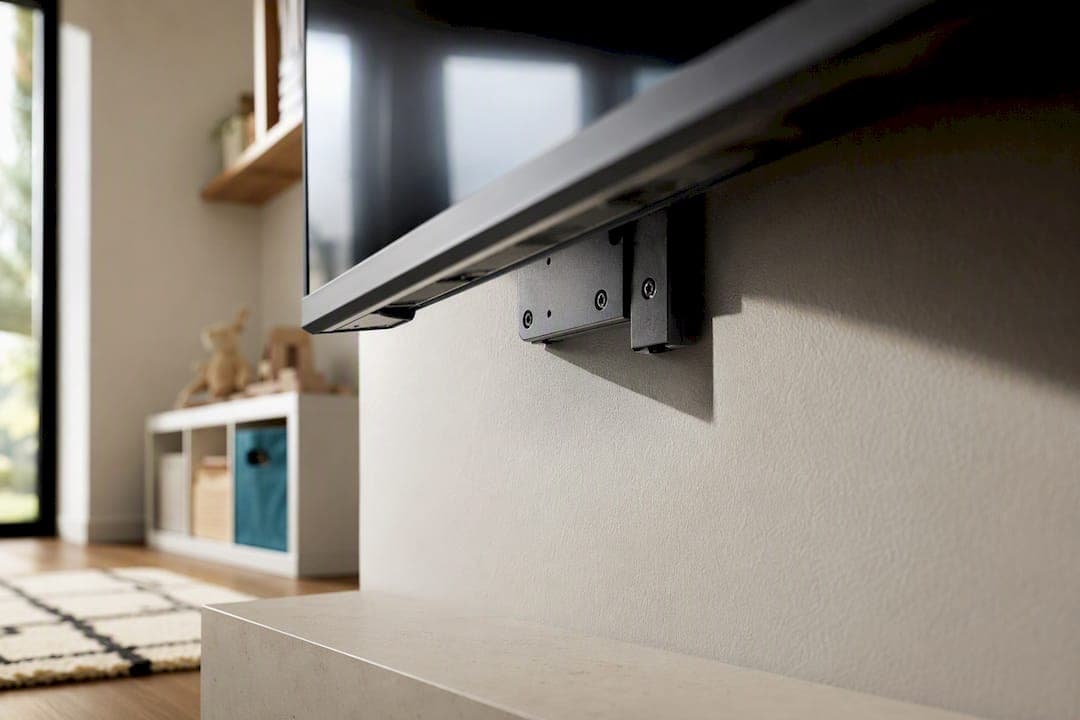
The safest option is to wall-mount your TV with a stud-secured mount rated above its weight. If wall-mounting isn't possible, anchor both the TV and the furniture underneath it using stud-attached anti-tip straps. Either way, keep cords, remotes, and game controllers out of reach so climbing never becomes tempting in the first place.
TL;DR:
- Mount your TV into studs with lag-bolts rated at least 20 percent above your actual TV weight, and verify fasteners are tight every 3 to 6 months.
- Fixed mounts are safest for children’s rooms because they have no moving parts, reducing the risk of loosening or failure under tugging.
- Always anchor both the TV and furniture separately into studs using steel cables or hardware, and inspect straps and fasteners regularly.
- Use in-wall or surface raceway cable routing to prevent children from pulling cords, and store remotes and small electronics out of reach in closed cabinets.
- Consider professional installation if walls are masonry or metal-stud, or if in-wall cable routing is required; always confirm mount compatibility with your specific TV.
Table of Contents
- What Makes a Kids Safe TV Wall Actually Safe?
- Which Mount Type Is Safest for a Child's Room?
- How Do Anti-Tip Straps and Furniture Anchoring Work?
- How Do You Hide Cables Without Losing the Style?
- Should You Install It Yourself or Hire a Pro?
- What Screen Settings Protect Young Kids?
- How Do You Childproof Everything Around the TV?
- What If the TV Comes Loose Anyway?
- Why Pre-Engineered Kits Cut Down on Installation Errors
- Get a Media Wall That's Built Safe From the Start
- Sources
- FAQ
What Makes a Kids Safe TV Wall Actually Safe?
A kids safe TV wall comes down to one mechanical fact: the mount has to resist far more force than the TV's weight alone suggests. A toddler pulling on the bottom edge of a screen creates leverage, and leverage is what tears mounts out of drywall.
Lag-bolts driven into wall studs hold because they're anchored into solid framing lumber, not the thin gypsum layer that makes up most interior walls. Drywall anchors, even the heavy-duty spiral kind, are rated for pounds of pull force. Wood studs behind lag-bolts resist that same force many times over, which is why every major child-safety group treats stud-mounting as the baseline, not an upgrade.
Finding studs isn't complicated. A stud finder does the job in seconds, but the old-fashioned tap test still works: tap the wall and listen for the hollow sound to change to a dull thud where a stud sits behind it. Studs typically run 16 or 24 inches apart, center to center. Before you drill anything, confirm the mount's VESA pattern matches your TV's back panel and that the mount's weight rating exceeds your TV's actual weight, not just its screen size class.
- Confirm stud spacing with a finder, then verify with a tap test before drilling
- Match VESA hole pattern exactly, don't force a near fit
- Choose a mount rated at least 20 percent above your TV's listed weight
- Torque-check all fasteners after the first week of use, then every 3 to 6 months
Pro Tip: Snap a photo of your stud locations and mount hardware after installation. If you ever swap TVs or add a soundbar, you'll know exactly what you're working with without pulling out the stud finder again.
Which Mount Type Is Safest for a Child's Room?
Fixed mounts are the safest starting point for any room where kids play. They hold the TV flat against the wall with no moving parts, which means nothing to loosen, nothing to swing, and nothing for a curious hand to pull on. If the room doubles as a playroom or a toddler's bedroom, a fixed mount removes the most common failure point: hardware that shifts under repeated tugging.
Tilting mounts add a small range of downward or upward angle adjustment, useful when a TV sits high on the wall and needs to angle toward a couch or crib. The tradeoff is a hinge mechanism that requires periodic tightening. Left loose, that hinge becomes exactly the kind of wiggle a child will keep testing.
Articulating mounts extend, swivel, and fold flat, and they're genuinely useful in open floor plans. They're also the riskiest choice for a kids' room. More joints mean more places where torque can loosen over time, and the extended arm position puts more leverage on the wall plate than a fixed mount ever does.
- Fixed mounts: fewest parts, best default for playrooms and toddler bedrooms
- Tilting mounts: fine for angle adjustment, but check hinge tightness monthly
- Articulating mounts: best reserved for adult living spaces away from climbing zones
- Whatever the mount, exceed the weight rating rather than match it exactly
If you're set on a slat-panel accent wall behind the screen, mounting on a slat wall still needs to anchor into studs behind the panel, not just the panel material itself.
How Do Anti-Tip Straps and Furniture Anchoring Work?
A child visits a U.S. emergency room roughly every 45 minutes because a television tipped over. Most of those incidents involve a TV sitting on furniture rather than mounted to a wall, which is exactly the scenario anti-tip straps are built to prevent.
Consumer Reports recommends wall-mounting where you can, and using approved anti-tip straps where you can't. The strap alone isn't enough if the furniture underneath is unanchored. A child climbing a dresser drawer-by-drawer can bring the whole stand down even with the TV strapped to it, so both the TV and the furniture need separate anchor points into studs.
Look for kits with steel-cable tethers and stud-mount hardware rather than adhesive-only pads. Anti-tip kits from brands like Hangman use aircraft-grade steel cable specifically because fabric or plastic straps can stretch or fail under sustained pulling. Retail strap kits run inexpensively, often between $7 and $20 depending on the hardware included, which makes retrofitting an existing setup one of the cheapest safety upgrades in the house.
- Anchor both the TV and the stand or dresser separately, into studs
- Choose steel-cable tethers over fabric straps for anything over 40 pounds
- Never place a TV on furniture designed for something else, like a dresser
- Recheck strap tension and anchor screws every few months
Parents consistently underestimate how quickly a climbing child creates enough force to tip furniture that seemed perfectly stable. Stud anchoring is the only reliable fix for that risk, not a nice-to-have add-on.
How Do You Hide Cables Without Losing the Style?
In-wall cable routing is the most tamper-resistant option because there's simply nothing dangling for a child to grab or chew. It also happens to look the cleanest, which is part of why it's become standard in higher-end media walls.
If cutting into drywall isn't an option, whether you're renting or just don't want to open up a wall, surface raceways do the job without any demolition. They paint to match the wall and route cords from the TV straight down to an outlet or power strip, keeping everything covered along the way. For a full non-invasive walkthrough, see how to hide wires from a mounted TV without cutting into anything.
Styling choices double as safety choices here. Closed cabinetry keeps remotes and small electronics out of sight entirely. Recessed shelves for toys mean kids reach for what's meant to be reached, not for a cord or a game console. Integrated LED lighting behind the screen adds a polished glow without needing a lamp or decor piece within arm's reach of the wall.
- Route cables in-wall where possible, or use paintable surface raceways
- Store remotes and small electronics in closed cabinetry, not open shelving
- Reserve open shelves for toys, not cords, cables, or streaming devices
Pro Tip: A proper wire management kit pays for itself the first time your toddler tries to "help" by pulling on a loose cord.
Should You Install It Yourself or Hire a Pro?
DIY installation makes sense when studs are accessible in the spot you want, you own or can rent a stud finder and a drill with a torque setting, and you're comfortable following the mount manufacturer's instructions to the letter.
Hiring a professional installer is the better call in a few specific situations:
- The wall is masonry, tile, or uses metal studs, which need different fasteners than wood-frame lag-bolts.
- You want in-wall cable routing that involves fishing wire through finished walls.
- You don't have a torque wrench or aren't confident hitting the manufacturer's specified fastener tightness.
If you go with a pro, ask three questions before signing anything: will they lag-bolt into studs rather than relying on drywall anchors, will they confirm the mount's weight rating against your specific TV before drilling, and can they show proof of insurance and past references? A legitimate installer answers all three without hesitation.
What Screen Settings Protect Young Kids?
Physical safety is half the equation. What shows up on the screen, and how bright it is in a dim playroom, matters just as much for a child's daily wellbeing.
Lower the backlight or brightness setting for rooms with limited natural light. A screen calibrated for a bright living room can feel harsh in a smaller bedroom or playroom, especially at night before bed. Most TVs now include an "eco" or ambient light sensor mode that adjusts brightness automatically, and turning that on is a one-time fix that keeps working without any ongoing effort.
Parental controls matter as much as brightness. Every major smart TV platform, along with streaming apps like YouTube Kids or Netflix's kids profiles, offers PIN-locked content restrictions and viewing time limits. Set these up during initial setup, not after a problem shows up. Profile-based restrictions mean a child's login only ever surfaces age-appropriate content, regardless of what else is on the household account.
Blue light exposure close to bedtime has become a common concern among parents, and while the research on long-term effects is still developing, a simple practical step covers you either way: enable night mode or a warmer color temperature setting in the evening hours, and set a hard cutoff time using the TV's built-in sleep timer rather than relying on memory alone.
How Do You Childproof Everything Around the TV?
The TV itself is rarely the only electronic risk in the room. Soundbars, game consoles, streaming boxes, and power strips all sit within a child's reach zone once the TV goes up, and each one carries its own hazard.
Power strips and surge protectors should sit inside a cable box or behind furniture, never loose on the floor where a toddler can find the switch or chew a cord. Outlet covers on any exposed outlet near the media wall close off the last obvious hazard. Game consoles and streaming devices with small removable parts, like game cartridges or controller battery covers, belong on a shelf a child can't reach rather than on a low console table.
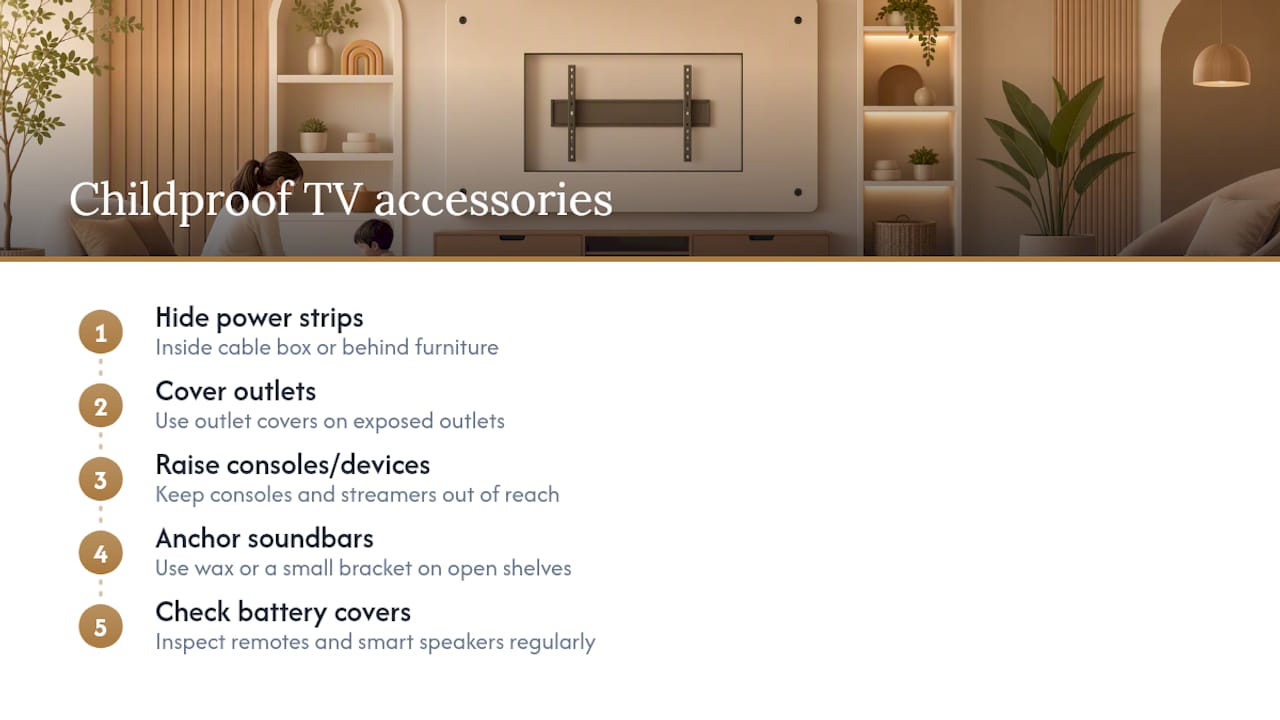
Soundbars deserve their own anchor point if they sit on an open shelf rather than mounted under the TV. They're lighter than a TV, but light enough to make a game out of pulling. A small dab of furniture-rated museum wax or a simple bracket keeps a soundbar in place without any visible hardware.
Smart speakers and streaming remotes with small batteries pose a swallowing risk if a battery cover pops loose, so check those covers periodically the same way you'd check a mount's fasteners. Treat every accessory on the wall the same way you treat the TV itself: assume a child will eventually reach it, and plan accordingly.
What If the TV Comes Loose Anyway?
Even a properly mounted TV can loosen over time if fasteners aren't rechecked, so it's worth having a plan for what to do if you notice a screen sitting slightly off its bracket or leaning at an odd angle.
First, get the child out of the room and away from the wall before touching anything. A TV that's already shifted can finish falling with very little additional force. Once the room is clear, check whether the mount plate has pulled away from the wall or whether the issue is the arm connection to the TV itself. If any part of the mount shows visible stress, cracked drywall, or a bent bracket arm, don't attempt to re-tighten it as a permanent fix. Take the TV down, inspect the wall for stud damage, and re-mount using fresh hardware.
If a TV has already fallen, even without visible injury, watch the child for signs of head injury over the following 24 hours, including unusual drowsiness, vomiting, or behavior changes, and call a pediatrician if anything seems off. Keep the fallen mount hardware aside so you or an installer can identify exactly what failed, whether it was a stripped screw, a cracked stud, or a mismatched weight rating, so the same failure doesn't repeat on the reinstallation.
Why Pre-Engineered Kits Cut Down on Installation Errors
Most tip-over incidents trace back to a hardware mismatch or a rushed install, not bad intentions. That's the real argument for pre-engineered systems. When panels arrive pre-cut and pre-labeled, as they do with Themediawallstore's kits, the guesswork that leads to wrong anchor points or mismatched weight ratings gets designed out before the drill ever comes out of the box.
I've reviewed enough DIY safety guides to know most tip-over stories start with an improvised step, not a labeled one. A kit engineered around known stud spacing and weight limits removes that improvisation, which matters more in a kid's room than anywhere else in the house. Pairing that with luxury finishes at a fraction of custom-build pricing means safety and style stop being a tradeoff parents have to negotiate against each other.
— Jake
Get a Media Wall That's Built Safe From the Start
Themediawallstore's kits arrive pre-cut and pre-labeled specifically so the hardest part of a safe install, matching the right anchor points to the right studs, is already solved before you open the box. That's the real advantage over a custom contractor build: you get the same luxury finish and hidden wire management, at a fraction of the cost, without waiting weeks for a crew.

Every kit includes pre-cut panels, built-in wire routing so cords never end up dangling near a curious toddler, and clear mounting guidance sized to the panel weight. If you'd rather not handle the install yourself, White-Glove Installation is available through the media wall kits page for hands-off setup. Want to compare finishes, lighting, or slat panel options first? Browse the full lineup in the shop, where design packages start at $99 for a single concept. If your household has specific child-safety questions about placement or mounting near a playroom, reach out to support before you buy. They can walk through the layout with you and flag anything worth adjusting for a toddler's reach.
Sources
- Safe Kids Worldwide — tip-overs infographic
- Prevent Child Injury — furniture tip-overs toolkit
- Consumer Reports — TV tip-over danger to children
- Hangman Products — Television Anti-Tip Safety Kit product page
FAQ
Is Wall-Mounting Always Safer Than a TV Stand?
Yes, when the mount is anchored into wall studs with lag-bolts rather than drywall anchors alone. A stand can be made safer with anti-tip straps and furniture anchoring, but it never removes the risk as completely as a properly stud-mounted TV does.
How Often Should I Recheck TV Mount Hardware?
Check fasteners for tightness and visible stress every 3 to 6 months, and immediately after any noticeable bump or shift. Kids' rooms see more physical contact with furniture and walls, so more frequent checks catch loosening early.
Can I Use Drywall Anchors Instead of Studs?
Drywall anchors alone aren't strong enough to resist the leverage created by a child pulling on a mounted TV. Stud-mounted lag-bolts are the standard recommendation from safety organizations for exactly this reason.
What Should I Look for in an Anti-Tip Strap Kit?
Look for steel-cable tethers with stud-mount hardware rather than adhesive-only fabric straps, since cable-based kits hold up better under sustained tugging. Anchor both the TV and the furniture underneath it, not just one or the other.
Does Themediawallstore Offer Installation Help?
Themediawallstore's kits come pre-cut and pre-labeled with mounting guidance included, and White-Glove Installation is available for parents who'd rather have a professional handle the setup. Current pricing and options are listed on the shop page.