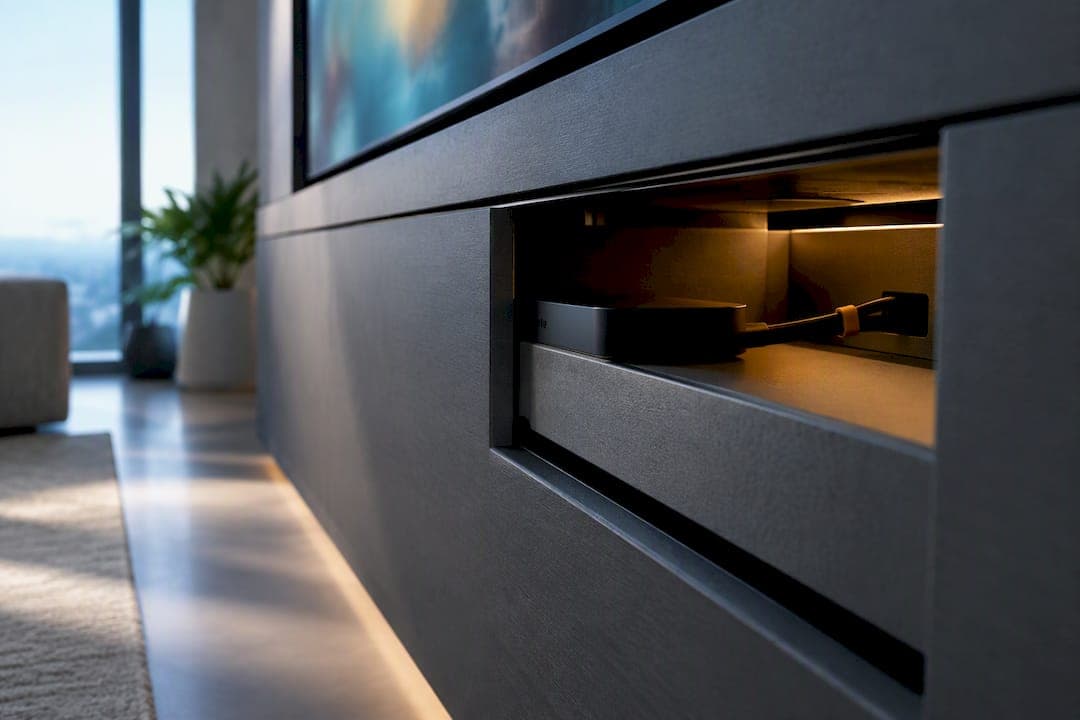
Hiding an Apple TV inside a media wall or cabinet is safe as long as you protect three things: ventilation, accessible power, and serviceable cable routing. Apple's own guidance backs a sealed cavity being the actual problem, not concealment itself. Once you build in airflow and a way to reach the plug and connectors, you can tuck the device out of sight and still control it with the Siri Remote, HDMI-CEC, or network-based control options.
TL;DR:
- Building a larger compartment with at least 2 to 3 inches of extra depth helps accommodate cables, connectors, and ease of access without risking overheating.
- Passive ventilation with strategic intake and exhaust gaps is generally sufficient for an Apple TV, but a thermostatic fan is recommended if the enclosure contains other heat-generating devices.
- Pre-wiring conduit, labeling all cables, and leaving slack ensures future upgrades and servicing can be done without drywall removal or structural disruption.
- Bluetooth remote signals typically pass through wood and MDF cabinet faces, but testing from the seating position is essential to confirm remote responsiveness.
- Proper planning with pre-cut, labeled kits or professional design services simplifies vent placement, conduit routing, and ensures a clean, functional hidden media wall setup.
Table of Contents
- How to Hide an Apple TV Without Blocking Airflow or Access
- Does a Hidden Apple TV Need Active Ventilation?
- Wiring the Compartment So You Never Have to Cut Drywall Again
- Will the Remote Still Work Through Cabinet Doors?
- Your Pre-Close Checklist Before Sealing the Panels
- Fixing the Most Common Concealment Mistakes
- Real install experiences show that hidden wire management is best designed into the kit from the start rather than added afterward.
- Getting the vent placement, conduit routing, and compartment sizing right before finishing is crucial to a media wall that hides an Apple TV cleanly. Pre-engineered kits that ship pre-cut and pre-labeled with hidden-wire management can help avoid improvising vent cutouts or cable paths on install day.
- Sources
- FAQ
How to Hide an Apple TV Without Blocking Airflow or Access
Where you put the Apple TV inside your media wall matters more than how well you hide it. The device measures roughly 3.66 by 3.66 by 1.2 inches, but that number is misleading if you use it as your compartment size. HDMI and Ethernet connectors, cable bend radius, and the power brick all eat into that footprint fast, so a cavity built to the exact dimensions of the box will fight you every time you try to service it.
Build the compartment bigger than you think you need, and skip the permanently sealed cubby entirely.
- Add at least 2 to 3 inches of depth beyond the device body for cable bends and connector clearance.
- Use a removable shelf, a magnetic front panel, or a hinged access door instead of a fixed, glued-in cavity.
- Place the compartment within reach of an outlet, or plan a dedicated power route into the space.
- Avoid stacking the Apple TV directly above a receiver, game console, or anything else that runs hot.
A media wall built with modular cabinetry and hidden-wire channels, like the kind found in media wall cabinetry systems, makes this easier because the compartments are designed for access from the start rather than retrofitted after the drywall goes up.
Does a Hidden Apple TV Need Active Ventilation?
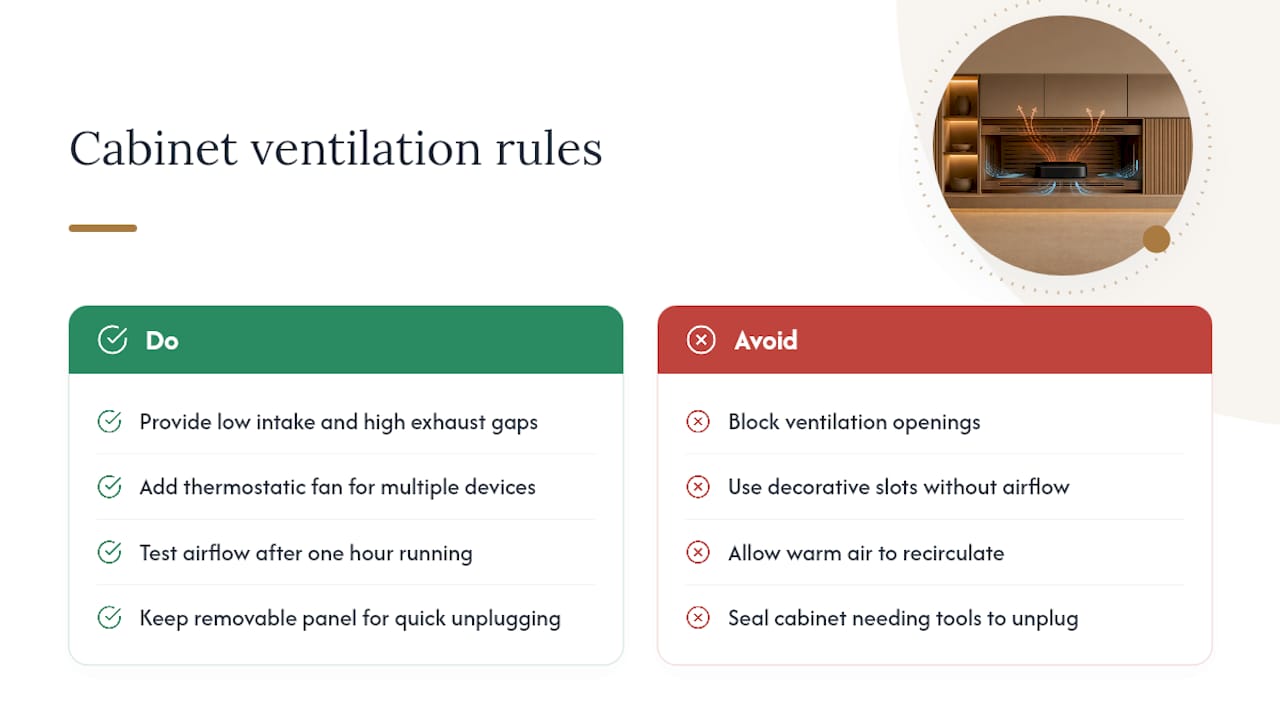
Apple lists an operating range of 32° to 95°F for the Apple TV 4K, and its safety guidance is explicit that you should never block ventilation openings. That single rule dictates almost everything about how you design the compartment around it. A flush cabinet front looks great, but decorative slots cut for looks rather than airflow can trap heat instead of releasing it.
Think of it as an intake and exhaust system, not a single vent. Cool air needs to enter low, usually through a toe-kick gap or a rear panel cutout, and warm air needs an exit point higher up or at the back, so it doesn't just recirculate in a loop. Thermal management guidance from AVI-SPL makes the same point for professional AV enclosures: airflow needs a clear path in and a clear path out, or the enclosure just traps its own heat.
For a single low-draw device like an Apple TV, passive venting through a well-placed gap is often enough. If the same cavity holds a receiver, a cable box, or a game console generating real heat, a small thermostatic exhaust fan is worth adding. These run silent until the compartment temperature climbs, then kick on automatically. Our guide on TV ventilation in a cabinet walks through fixes for the most common overheating complaints we hear from DIY installers.
Pro Tip: Cut your vent openings before you finalize panel placement, then test airflow with your hand near the exhaust point after the device has run for an hour. If you feel no warm air moving, the path is blocked somewhere.
Whatever venting method you choose, keep a removable panel or door so you can reach in and unplug the unit in seconds. Apple's guidance is built around exactly that kind of accessible disconnect, not a sealed box you'd need a screwdriver and ten minutes to open.
Wiring the Compartment So You Never Have to Cut Drywall Again
The biggest regret homeowners report after a media wall install isn't the finish or the layout. It's discovering they can't run a new cable without tearing into a wall they just finished. Prewire guidance from Audioholics recommends installing conduit between the equipment location and the display specifically so future upgrades don't require demolition. That advice applies just as directly to a media wall cabinet as it does to a full in-wall install.
A few habits make the difference between a wiring job you're proud of and one you dread touching again:
- Run HDMI and Ethernet through conduit or an open raceway, not directly through drilled holes with no slack.
- Label both ends of every cable before you close anything, even if it feels unnecessary at the time.
- Leave several inches of service slack at each end so you can reroute or swap a connector without pulling a new run.
- Keep the power cord reachable, either by mounting a receptacle inside the accessible compartment or by routing a clear, unobstructed path to the nearest outlet.
In-wall cable runs also need to meet code. NEC and cabling guidance sets requirements for cable ratings (in-wall-rated types like CL2 or CL3) and, in some cases, separation between power and low-voltage AV lines. If you're routing new power into a wall cavity rather than using an existing outlet, bring in a licensed electrician. Planning outlet count and placement before you close panels avoids the scramble later. Our piece on outlet placement for a media wall recommends planning for six to ten receptacles across a typical build, which sounds like overkill until you count everything that eventually plugs in.
Will the Remote Still Work Through Cabinet Doors?
This is the question that stops most people from committing to a fully hidden setup, and it has a straightforward answer. The Siri Remote communicates over Bluetooth, and Bluetooth generally passes through wood and MDF cabinet faces without much signal loss. Test it anyway, with the doors fully closed, from your actual seating distance, ideally within about 20 feet of the unit.
If Bluetooth response feels sluggish, you have real fallback options:
- HDMI-CEC lets your TV or receiver remote control the Apple TV's power and volume, cutting down how often you even need line-of-sight to the device itself.
- Network-based control through HomeKit or a universal remote system routes commands over Wi-Fi instead of relying on a direct signal path.
- IR repeaters solve the rare case where a cabinet's metal lining or dense construction blocks Bluetooth entirely.
Most concealed installations never need anything beyond the stock remote. Test before you commit to a finish.
Your Pre-Close Checklist Before Sealing the Panels
Follow this sequence in order, and don't skip the "doors closed" test even if everything worked with the panel open.
- Confirm the compartment fits the Apple TV plus cable clearance, that ventilation is unobstructed, and that power is reachable.
- Run conduit or raceway, pull HDMI and Ethernet, and label both ends before making final connections.
- Connect HDMI, power, and network, then run a full functional test: picture, sound, network speed, and remote response.
- Close the cabinet doors or panel and repeat the remote test from your normal seating position.
- Mark the service route on the inside of the cabinet, leave slack coiled and labeled, and confirm you can reach the power cord and unplug it within a few seconds.
Apple's own remote troubleshooting guidance recommends staying within roughly 20 feet of the unit and removing obstructions if response lags, a useful benchmark while you're still testing rather than after the panels are permanently fixed.
Fixing the Most Common Concealment Mistakes
Most problems with a hidden Apple TV trace back to one of two things: blocked airflow or an untested remote. If the unit runs hot to the touch or restarts on its own, open the compartment and check whether your "vent" is actually moving air or just a decorative cutout with nowhere for warm air to escape.
- Never treat the power cord as something to permanently tuck away and forget. You need to reach it.
- If the remote lags with doors closed, try repositioning the device a few inches, adjusting HDMI-CEC settings on the TV, or adding a network-based control option.
- Skip permanently crimped or glued HDMI runs. A hidden cable-box setup faces the exact same tradeoffs, and the fix is the same: plan conduit now so a cable swap later doesn't mean cutting into finished panels.
Real install experiences show that hidden wire management is best designed into the kit from the start rather than added afterward.
Hidden wire management is built into many kits designed for media walls, with panels often pre-cut and pre-labeled to solve service access and ventilation needs during planning. Many homeowners have used ready-to-assemble kits to build concealed setups. If unsure how to size a compartment or route conduit for your layout, expert support is recommended before cutting anything.
— Jake
Getting the vent placement, conduit routing, and compartment sizing right before finishing is crucial to a media wall that hides an Apple TV cleanly. Pre-engineered kits that ship pre-cut and pre-labeled with hidden-wire management can help avoid improvising vent cutouts or cable paths on install day.

Browse the shop for kits and accessories, including lighting, cabinetry, and finish options that pair with hidden-wire compartments. If you want the layout planned before you buy, the Single Concept Design service runs $99 one-off and gets you a compartment plan sized to your actual equipment, not a generic template. For a fuller build, the 3 Concepts + Revision Design Package is $199 one-off, and a Full Design & Quote runs $299 one-off if you want the whole project scoped before ordering. Check how it works to see the ordering and installation process, including White-Glove Installation for SF Bay Area homeowners who want a professional to handle the final setup.
Sources
Technical claims here draw on Apple's Apple TV 4K specifications, Apple's safety guidance, AVI-SPL's thermal management guidance, and Audioholics' prewire guidance. For finishing touches on cable concealment along baseboards, KA Design's guide to cable-hiding trim covers low-visibility raceway options worth pairing with an in-wall build.
- Important safety information for Apple TV 4K - Apple Support
- AVI‑SPL white paper: Thermal management for AV enclosures
- Home theater prewire basics - Audioholics
FAQ
Can You Fully Seal an Apple TV Inside a Cabinet?
No. Apple's guidance is clear that ventilation openings must stay unblocked and the power connection must remain accessible, so a fully sealed cavity with no airflow or access point isn't safe. Build in a vent path and a removable panel instead.
Does the Apple TV Remote Work Through Cabinet Doors?
Usually, yes. The Siri Remote uses Bluetooth, which typically passes through wood or MDF cabinet faces, but you should test it with doors closed and from your normal seating distance before finalizing the install.
What Size Compartment Does an Apple TV 4K Need?
The device itself measures about 3.66 by 3.66 by 1.2 inches, but plan for at least 2 to 3 extra inches of depth to accommodate connectors, cable bend radius, and outlet clearance.
Do I Need a Fan to Keep a Hidden Apple TV Cool?
Not always. A single Apple TV usually runs fine with passive intake and exhaust venting, but if the same compartment holds a receiver or console generating more heat, a thermostatic exhaust fan is worth adding.
How Much Does The Media Wall Store Charge for Design Help?
Single Concept Design costs $99 one-off, the 3 Concepts + Revision Design Package is $199 one-off, and a Full Design & Quote runs $299 one-off, all available on the shop page.