A media wall is a built-out feature wall that holds your TV and hides the wires. It can also add shelves, cabinets, lighting and an electric fireplace. The best buy for most homeowners is a pre-cut kit that fits your wall, your TV and your comfort with power tools. A custom build makes sense when the project involves hardwired electrical work or an unusual room. This guide walks you through the decisions in the order you will face them, so you order the right thing the first time.
- ✓Pre-cut DIY kits
- ✓Pre-labeled kit parts
- ✓Expert support
- ✓Risk-free returns
TL;DR
- Measure your wall, your seating distance and your TV first. Everything else (kit size, fireplace, shelving) follows from those three numbers.
- Mount the TV so the center of the screen sits at seated eye level, and leave breathing room behind and beside it for ventilation.
- Budget by approach: DIY kits cost far less than a professionally built wall, but finishing time and electrical work are where projects stretch.
- Hardwired fireplaces and any in-wall power need a licensed electrician. Plug-in options keep the project simple.
- Pre-cut, pre-labeled kits compress a multi-week build into a weekend-scale install, and a design package can lock your plan before you buy.
Table of Contents
- What a media wall actually is
- Step 1: Measure before you shop
- Step 2: Set TV height and viewing distance
- Step 3: Decide kit or custom build
- Step 4: Build a realistic budget
- Step 5: Choose materials and finishes
- Step 6: Plan the fireplace, shelves and lighting
- Step 7: Check airflow, power and mounting safety
- Perspective from our team
- Get a plan and a kit that fit your wall
- A short pre-purchase checklist
- FAQ
- Sources
What a media wall actually is
A media wall is a purpose-built wall for home entertainment equipment such as TVs, speakers and game consoles. Depending on the design, it can include an electric fireplace, shelves and cabinets, hidden cable channels and lighting. Think of it as a frame that turns a bare TV on a blank wall into a finished focal point.
Three features decide how it looks and works day to day:
- The backdrop. Painted panels, slat panels, textured surfaces or a mix. This sets the style.
- The storage. Floating cabinets or a floating console keep the floor clear and make cleaning easy.
- The utilities. Cable routes, power outlets, lighting and optional heat. These are invisible when done well and a headache when done badly.
If you want a deeper walkthrough of the concept, our guide on building a media wall without a pro covers the basics.
Step 1: Measure before you shop
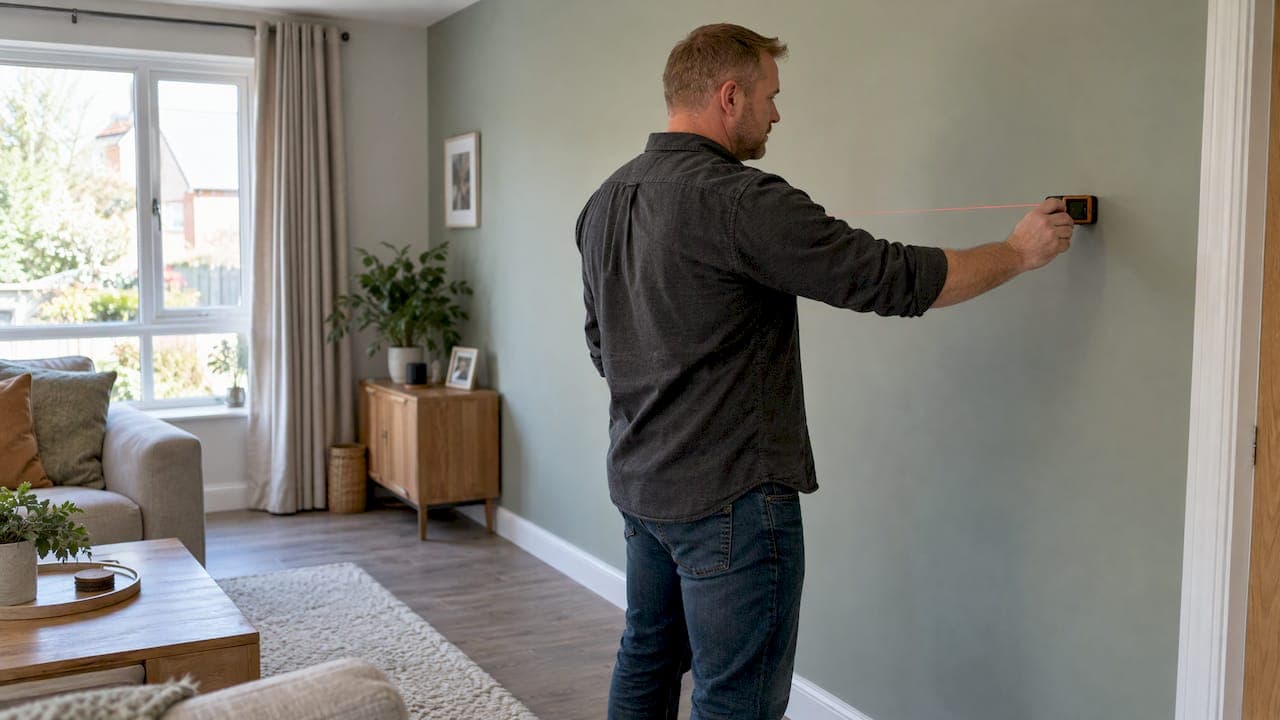
Skip the product pages until you have four numbers written down.
- Wall width and ceiling height. Measure at several points. Older homes often have walls that are not square, and a kit should be planned around the narrowest measurement.
- TV size and weight. Note the diagonal, the depth and the VESA pattern on the back.
- Seating distance. Measure from where your eyes sit on the sofa to the wall.
- Outlet and cable locations. Mark every outlet, switch, vent and window on a sketch of the wall.
Two walls with the same width can need entirely different kits. A wall with a window next to it, or a return vent low on the surface, changes where cabinetry and a fireplace can go. If you would rather have a professional plan check your sketch, our design packages start at $99 for a single concept, $199 for three concepts plus a revision, and $299 for a full design and quote.
Step 2: Set TV height and viewing distance
The most common regret on finished media walls is a TV mounted too high, usually because a fireplace sits beneath it. One US mounting guide notes that ergonomic guidance puts the center of the screen at seated eye level, typically 42 to 48 inches from the floor, and that mounting much higher can cause neck strain and reduce viewing comfort.
What that means in practice:
- Sit on your sofa in your normal posture and have someone mark your eye line on the wall with painter's tape.
- Place the center of the TV near that line, then see what fits below it.
- If you want a fireplace under the TV, check that the fireplace height plus the gap to the screen still keeps the TV near eye level. If it does not, choose a lower, linear fireplace or move the fireplace to the side.
Furniture layout matters here too. Sofa depth and the space between seating and the fireplace affect both comfort and safe clearance, and this piece on clearance around a fireplace layout is a good companion when you plan the room around the wall. For layouts that balance a TV and a fireplace, see our five TV and fireplace wall layouts.
Step 3: Decide kit or custom build
The two routes differ in cost, speed and how much control you keep.
| Factor | DIY kit | Custom professional build |
|---|---|---|
| Typical cost | Lower, since you supply the labor | One 2026 US guide cites $2,500 to $6,000 professionally installed |
| Time | A weekend-scale install with pre-cut, pre-labeled panels | Depends on contractor schedules and finishing |
| Design control | Choose from set styles, finishes and add-ons | Fully bespoke |
| Skills needed | Basic tools, a level, patience | None from you |
| Best for | Standard walls, plug-in fireplaces, budget-minded owners | Unusual rooms, hardwired features, tight timelines |
The same guide estimates that DIY typically saves 40 to 60 percent compared with professional installation. Your own savings depend on your wall and your choices, so treat that as a range for planning rather than a promise.
The big variable is time. For a from-scratch build, that source estimates 30 to 50 hours across three to four weeks including drywall finishing and drying, or 15 to 25 hours across roughly two weeks if you hire out the finishing. That is the main reason a pre-cut kit appeals: the cutting, measuring and finishing prep are done before the box ships. Our DIY media wall guide shows what a weekend build looks like.
Step 4: Build a realistic budget
For an 8 to 10 foot wall, the same cost guide lists budget builds at $740 to $1,530 and mid-range builds at $1,430 to $2,570 when you do the work yourself. Treat those as ballparks for a materials-driven project, then add the items people forget.
A complete budget includes:
- The wall itself: kit or materials for framing, panels and trim.
- The fireplace insert, if you want one.
- Lighting: LED strips, shelf lighting or accent lights.
- Storage: floating shelves, a floating console or cabinets.
- Hardware and finishes: handles, brackets, fasteners.
- TV mount and cables: and any smart-home controls.
- Electrical work: if an outlet or hardwired feature needs to move.
- Paint or touch-up supplies.
For a closer look at the numbers, see how we break down what a media wall costs and what a kit costs in practice.
Step 5: Choose materials and finishes
The finish is what people see, so it is where a modest budget can look expensive. Some guidance:
- Pick one hero surface. A single slat or textured panel area behind the TV draws the eye. Keep the surrounding wall simple.
- Mix matte and warm tones. Dark walls make a TV disappear when it is off, while wood tones soften the look.
- Match hardware across the room. Brass, chrome and matte black all work, but choose one so the wall looks designed rather than assembled. Our hardware finishes come in all three.
- Think about sound. If you watch movies or play games, slat panels in a wood tone such as our acoustic slat wall panel in red walnut add texture as well as a more finished look.
Solid wood and real veneer cost more per square foot than paintable or composite surfaces, which is why a kit that uses engineered panels can deliver a high-end appearance at a lower price.
Step 6: Plan the fireplace, shelves and lighting
Fireplace
An electric fireplace is the feature most buyers add. Decide first whether it is a plug-in unit or a hardwired one, because that decides who can install it. Next decide between a recessed insert that sits flush in the wall and a freestanding unit. Recessed looks cleanest, and it needs a planned opening and sufficient depth. Browse electric fireplaces for media walls, or read our guides to the best electric fireplace for a TV wall and the best recessed electric fireplace. If you want a ready-made look, the 70-inch distressed white fireplace TV stand with a walnut shelf pairs a linear insert with a shelf in one piece. Not sure what the term covers? Start with what a fireplace media wall is.
Shelves and storage
Floating storage keeps the floor visible, which makes a room feel larger. A 71-inch floating TV console in black wood grain holds streaming boxes and consoles, and floating shelves such as the Oslo Classic or the Oslo Lux with built-in LED lighting carry décor. Keep heavy items low and close to studs.
Lighting and smart control
Warm, dimmable light behind or beside the TV reduces glare and eye strain in a dark room. If you want lights, speakers and the fireplace controlled from your phone or a voice assistant, look at smart tech for media walls before you finalize the wiring plan, so the outlets are in the right place.
Step 7: Check airflow, power and mounting safety
This is the section to read twice. A media wall hides electronics, and hidden electronics still need to breathe and be powered safely.
Ventilation. Sony's US support page says TV ventilation openings must never be blocked or covered. As a general guideline, it suggests the back of the TV should sit 2 to 6 inches from the wall, with about 4 inches of ventilation space at the sides. Check your own TV's manual for its exact requirement, and plan recesses and trim around that number rather than around the look alone. Do the same for any streaming box or receiver you tuck into a cabinet.

Power. One US mounting guide points out that NEC Article 400.12 prohibits running flexible cords or extension cords through walls, ceilings or floors, and that includes the TV's own power cord. The safe route is a code-compliant in-wall outlet behind the TV, installed by a licensed electrician. Low-voltage cables such as HDMI are handled differently, and in-wall rated cable is the right product for them. If your wall has no outlet where the TV will hang, budget for an electrician now.
Hardwired fireplaces. The cost guide cited above notes that safety- and code-critical steps such as electrical work, especially hardwired fireplace options, may require an electrician or permits. Ask your local building department what applies in your city or county, and hire a licensed electrician for anything hardwired.
Mount strength. The same mounting guide notes that flush mounts put the least stress on anchor points, while full-motion arms need the strongest structural anchoring. Find your studs, use hardware rated for the TV's weight, and put backing behind any spot where a heavy TV or articulating arm will attach.
Perspective from our team
We started The Media Wall Store because the choice used to be binary: pay for a fully custom build, or settle for a TV on a blank wall. Most homeowners we talk to want the custom look without the custom invoice or the weeks of mess.
Our approach is to engineer the hard parts in advance. Panels come pre-cut and pre-labeled, with a modular system, hidden wire management, floating cabinetry, slat accents and integrated LED lighting. You assemble a finished design instead of inventing one from lumber. With over 1,000 customers behind us, we have seen what works in real living rooms, and we built our kits around it.
Our advice is to plan first, then buy. Decide your TV height and your fireplace position before you choose finishes, and put your power needs on paper before you pick up a drill. If you want help with that, our design packages exist so you can see your wall before it ships. We also back kit orders with expert support and risk-free returns, because we want you confident in the purchase.
For the SF Bay Area, we also offer custom design and white-glove installation, for homeowners who want the result without lifting a panel.
Jake
Get a plan and a kit that fit your wall
If you have your measurements and a sense of style, you are ready to move. Our DIY media wall kits include pre-cut, pre-labeled panels, multiple finishes and options for fireplaces, and they ship nationwide. You can add a design package first if you want a concept or a full quote before you commit.
Living in the San Francisco Bay Area? Our white-glove installation service handles design and installation for you, and the how it works page explains both routes step by step.
A short pre-purchase checklist
Before you click order, confirm each of these:
- Wall width, height and the location of every outlet, vent and window are measured and sketched.
- TV center height is marked at seated eye level.
- Rear and side clearance for ventilation matches your TV manufacturer's guidance.
- You know where the power will come from, and an electrician is booked if a new outlet or hardwired fireplace is involved.
- Studs are located and the mount type is chosen for your TV's weight.
- Finish and hardware choices are consistent across the wall.
- You have set aside a realistic weekend, or more time if you add painting or finishing.
- Your budget includes the fireplace, lighting, storage, mount and cables, not just the wall.
FAQ
How much does a media wall cost in the US?
It depends on size, features and who does the work. One 2026 US guide lists professionally installed walls at $2,500 to $6,000, and lower figures for DIY builds. Our design packages are $99 for a single concept, $199 for three concepts plus a revision, and $299 for a full design and quote.
Can I install a media wall myself?
Yes, especially with a pre-cut, pre-labeled kit, which is designed to go up in a weekend with basic tools. Plan for extra time if you add paint or finishing. Leave any new outlet or hardwired fireplace circuit to a licensed electrician.
What height should the TV be on a media wall?
Aim for the center of the screen at your seated eye level, which a US mounting guide puts at about 42 to 48 inches from the floor for standard seating. Tape the position on the wall and sit down to check it before you commit to a fireplace or shelf placement.
Does a TV need space around it inside a media wall?
Yes. Sony advises never blocking the ventilation openings, and suggests roughly 2 to 6 inches behind and about 4 inches at the sides as a general guideline. Your TV manual gives the exact figure for your model.
Do I need an electric fireplace?
No, it is optional. A fireplace adds warmth and a focal point, while a clean TV wall with shelves and lighting also looks finished. If you add one, decide early between plug-in and hardwired, since that determines the electrical work.
Sources
- How to Build a Media Wall with Electric Fireplace
- The Complete Homeowner's Guide to TV Mounting
- How much space is needed around the TV (Sony USA)
- DIY Media Wall Build Guide: Costs, Steps, Pitfalls